



Most websites that fail do not fail because of bad design or slow hosting. They fail because they target the wrong keywords: phrases nobody searches for, phrases the site has no chance of ranking for, or phrases that bring visitors who will never buy.
This is the keyword research process I have used for my own sites and for customers since 2019. I updated it in October 2026 with what has changed since then: Google’s AI answers, free tools that are now paid, and a few myths worth dropping.
Quick answer: keyword research in five steps
- Find seed keywords: the main topics of your niche, from Google autocomplete, Amazon, Wikipedia, forums and Reddit.
- Expand them: run each seed through Google Keyword Planner, Soovle or a paid tool to get hundreds of related phrases.
- Check the numbers: search volume, keyword difficulty and the strength of the pages already ranking.
- Prioritise: keep keywords with clear intent, real volume and weak competition.
- Map and write: give each page one main keyword, put it in the title, H1 and URL, and cover the topic fully.
What is keyword research?
A keyword is the phrase someone types into a search engine to find something. Keyword research is the process of finding the phrases your customers use, so that people looking for your product or service land on your site and not a competitor’s.
The best way to start is to put yourself in your customer’s place. What problem do they have, and what would they type to solve it? A plumber’s customer searches “burst pipe repair near me”, not “plumbing solutions”. Keyword research turns those guesses into real data.
Why does keyword research matter so much in 2026?
Almost all clicks go to the first page of results, and visitors from page five rarely buy. Ranking on page one for the right phrase is worth far more than ranking on page three for a popular one.
Google’s AI answers make the choice of keyword even more important. In July 2025 Pew Research found that Google users who saw an AI summary clicked a normal search result in 8% of visits, against 15% when no summary appeared. Simple “what is” questions are now often answered on the results page itself. Keywords that show buying intent, or need a detailed guide, still send clicks.
What makes a good keyword?
| Factor | What to look for |
|---|---|
| Search volume | Enough monthly searches to be worth a page. Low is fine for buying keywords. |
| Search intent | What the searcher wants. It must match the page you plan to write. |
| Competition | Pages you can realistically beat: few strong backlinks, weak content. |
| Business value | Visitors who could become customers. Commercial keywords beat curiosity keywords. |
What are the four types of search intent?
| Intent | The searcher wants to | Example |
|---|---|---|
| Informational | Learn something | how to sharpen a chisel |
| Navigational | Reach a specific site | amazon woodworking tools |
| Commercial | Compare before buying | best table saw for beginners |
| Transactional | Buy now | buy dewalt table saw |
If you sell products or services, commercial and transactional keywords are where the money is. Informational keywords are still useful for guides that build trust and attract links.
Step 1: How do you find seed keywords?
A seed keyword is the main phrase of a topic. You will not usually target it directly, but you use it to find the phrases you will target. For a woodworking site, “woodworking tools” is a seed, and it leads to “miter saw”, “bench grinder”, “random orbital sander” and so on.
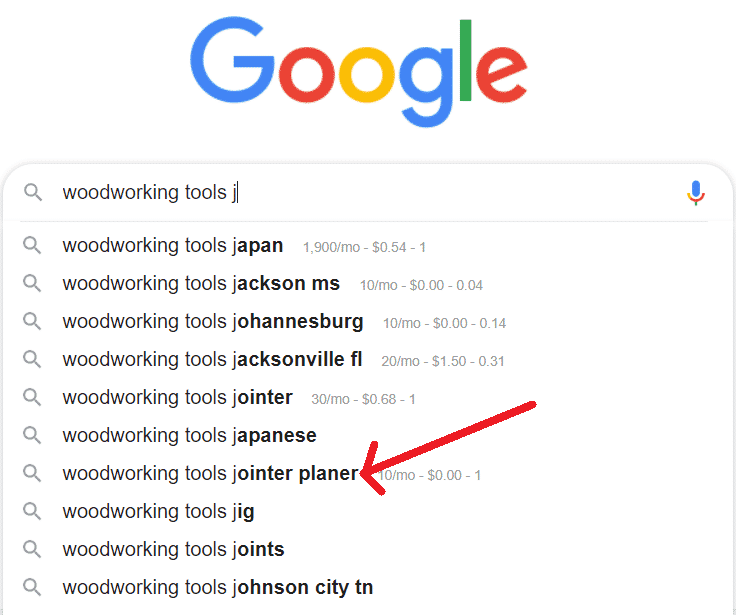
Type your topic into Google and look at the suggestions. Add a letter after the topic (a, b, c and so on) to get more. Then scroll to the bottom of the results for related searches, and open the People also ask boxes. Both are full of long-tail phrases, which are easier to rank for than short ones.
Wikipedia
Search Google for your topic wikipedia and open the article. The table of contents and the linked terms give you a ready-made list of subtopics, each a possible seed keyword.
Amazon
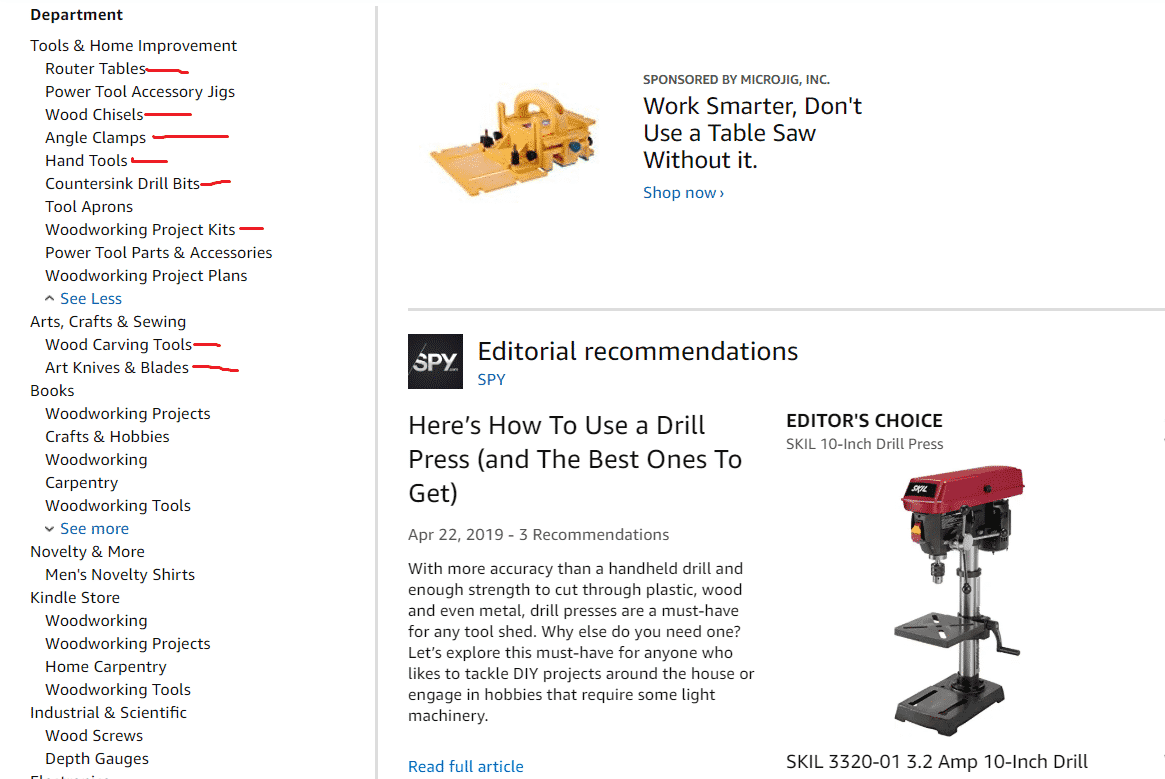
For buying keywords, Amazon is hard to beat. Search Google for your topic amazon, or browse Amazon’s categories and subcategories directly. Category names such as “router tables”, “wood chisels” and “angle clamps” are product keywords people search for.
Forums and Reddit
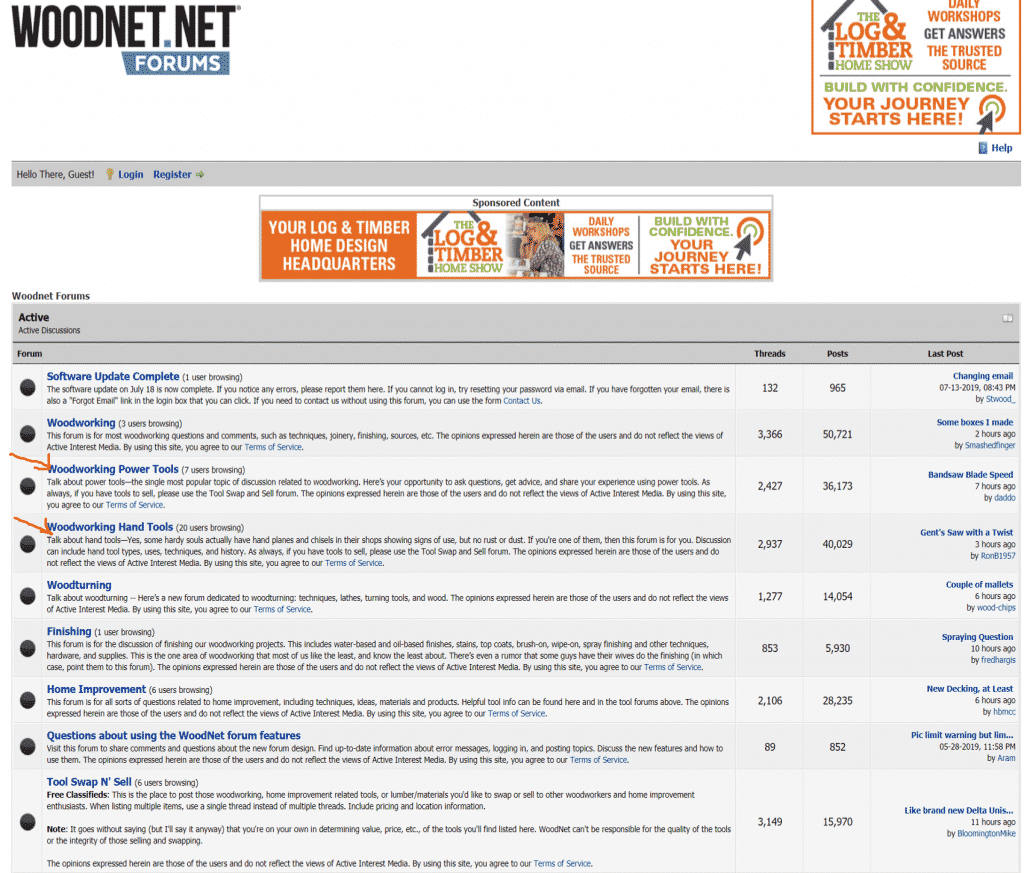
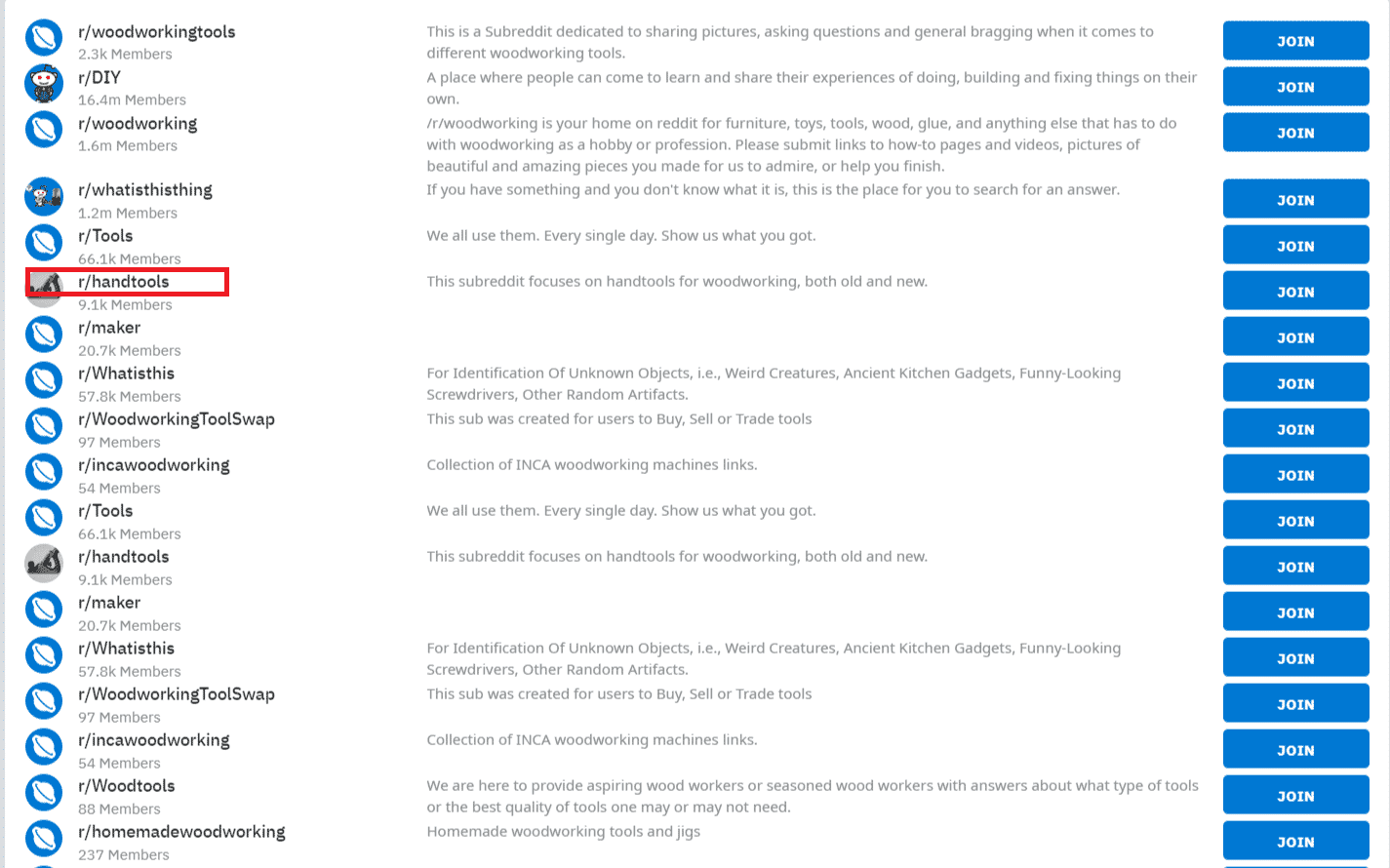
Forums and subreddits show you the problems your audience talks about, in their own words. Each board or subreddit can be a seed keyword, and each common question can be an article. To find forums, search Google for:
your topic forumyour topic boardyour topic "powered by phpBB"your topic "powered by MyBB"
Your own Search Console
If your site already has some traffic, Google Search Console shows the exact phrases you already appear for. Phrases where you sit on page two are often the quickest wins.
Step 2: How do you expand your seed keywords?
| Tool | Cost | What it is good for |
|---|---|---|
| Google Keyword Planner | Free with a Google Ads account | Related keywords and volumes. Without ad spend you see ranges such as 1K to 10K, not exact numbers. |
| Soovle | Free | Autocomplete from several sources at once, including Google, Bing, Amazon, YouTube and Wikipedia. Now owned by SEO.com. |
| Keywords Everywhere | Paid credits | Shows volume and CPC right inside Google and other sites as you search. |
| Semrush, Ahrefs, Long Tail Pro | Paid subscriptions | Large keyword databases, difficulty scores and competitor research. |
Run every seed through at least one of these and save the results in a spreadsheet. You can read my Long Tail Pro review for one paid option. If you would rather not do this part yourself, our keyword scraping service builds a large niche keyword list for you.
Step 3: How do you check keyword difficulty?
Keyword difficulty score
Most paid tools give a difficulty score from 0 to 100. The higher the number, the harder it is to reach page one. Each tool calculates it differently, so compare scores within one tool, not across tools.
Backlinks of the pages that rank
Links are still one of the strongest ranking signals. Look at how many sites link to the pages in the top ten. If every result has links from hundreds of strong domains, move on. If the top pages have few links, or links from weak sites, you have a chance.
Moz Page Authority and Domain Authority, shown by the free MozBar extension, score pages and sites from 1 to 100. They are not Google metrics, but they are a quick way to see whether the results are dominated by big brands.
Look at the results yourself
No metric replaces looking at the results page. Search the keyword and check:
- Does an AI summary answer the question fully? If so, expect fewer clicks.
- Are the top results forums, thin pages or old posts? Those are easy to beat.
- Do the titles match the keyword closely? If not, a page built around it can stand out.
- What type of page ranks: guides, product pages or lists? Your page should be the same type.
Step 4: How do you prioritise your keyword list?
Now cut the list down. Keep keywords that tick most of these boxes:
- Low to medium difficulty for your site’s current strength
- Top pages with few or weak backlinks
- Weak on-page SEO on the ranking pages: poor titles, thin content, no clear answer
- Clear intent that matches a page you can create
- Real business value for you
Start with the easiest keywords that have buying intent. Early rankings bring traffic and links, which make the harder keywords easier later.
Step 5: How do you use keywords on the page?
- Give each page one main keyword. Two pages chasing the same keyword compete with each other.
- Put the keyword in the title tag, the H1, the URL and the first paragraph.
- Answer the searcher’s question early, then cover the related subtopics people also ask about.
- Beat the ranking pages on what they lack: a video, a table, screenshots, fresher data or clearer steps.
- Link to the page from related posts on your site.
Publish on a regular schedule, then go back and improve pages that reach page two. Updating a page that already ranks is often faster than writing a new one.
Do LSI keywords matter?
No. “LSI keywords” was a popular idea in 2019, when this guide was first written, but Google’s John Mueller said that year: “There’s no such thing as LSI keywords.” What does help is covering a topic completely and using the words a real expert would use. Tools that suggest related terms are useful for finding subtopics, not for sprinkling words into a page.
Frequently asked questions
What is keyword research?
Keyword research is finding the phrases your customers type into search engines, then choosing the ones with enough searches, the right intent and competition you can beat, so you can build pages around them.
Is Google Keyword Planner still free?
Yes, with a Google Ads account. Accounts without active ad spend see search volume as ranges, such as 1K to 10K, instead of exact numbers. It is still useful for finding related keywords.
What is a seed keyword?
A seed keyword is the main phrase of a topic, such as woodworking tools. You rarely target it directly. You run it through tools to find the longer, more specific keywords you will actually target.
What is search intent?
Search intent is what the searcher wants: to learn something, reach a site, compare products or buy. The page you create must match that intent, or it will struggle to rank even for an easy keyword.
Do LSI keywords help SEO?
No. Google’s John Mueller said in 2019 that there is no such thing as LSI keywords. Covering the topic completely and answering related questions helps. Adding lists of related words does not.
How have AI answers changed keyword research?
Simple questions are often answered on the results page. Pew Research found in 2025 that users clicked a result in 8% of visits with an AI summary, against 15% without. Favour keywords with buying intent or that need a detailed guide.
Need a big keyword list for your niche, or links to rank the pages you build? We can do both.




 English
  简体中文
简体中文  Deutsch (Sie)
  Bahasa Indonesia
  Italiano
  日本語
日本語  한국어
한국어  Português do Brasil
  Русский
  Español de México
  ไทย
ไทย  Tiếng Việt
  Türkçe