
• Tentang Kami
    • Berkontribusi atau Berkolaborasi dengan Asia Virtual Solutions
    • llms.txt
    • Instruksi AI
  • Afiliasi
  • Hubungi Kami
  • Akun Saya
  • Tiket Dukungan
Solusi Virtual Asia
  • Beranda
  • Pemeringkat Mesin Pencari GSA
    • Tanya Jawab untuk Pemeringkat Mesin Pencari GSA
    • Alat & Perlengkapan Tambahan GSA SER
    • Tutorial GSA SER
    • GSA SER Indexer – Free Trial
  • Blog
    • Konten AI & SEO
    • Tutorial GSA SER
    • Hosting & VPS
    • Strategi Membangun Tautan
    • Berita & Pembaruan
    • Ulasan Perangkat Lunak SEO
    • Xrumer & XEvil
  • Belanja
    • Artikel Konten & AI
    • Alat & Perlengkapan Tambahan GSA SER
    • Layanan Hosting
    • Layanan Membangun Tautan
    • URL Indexer – Free Trial
    • Pengirim Robot Uang
    • RankerX
    • Layanan yang Direkomendasikan
    • Layanan Media Sosial
    • Layanan Xrumer
Tidak ada hasil
Lihat Semua Hasil
Solusi Virtual Asia

Beranda » Blog » How to Get GSA SER Backlinks Indexed: Step-by-Step Guide

How to Get GSA SER Backlinks Indexed: Step-by-Step Guide

Michael Swart oleh Michael Swart
di Tutorial GSA SER, Strategi Membangun Tautan
Waktu membaca: 7 menit
0
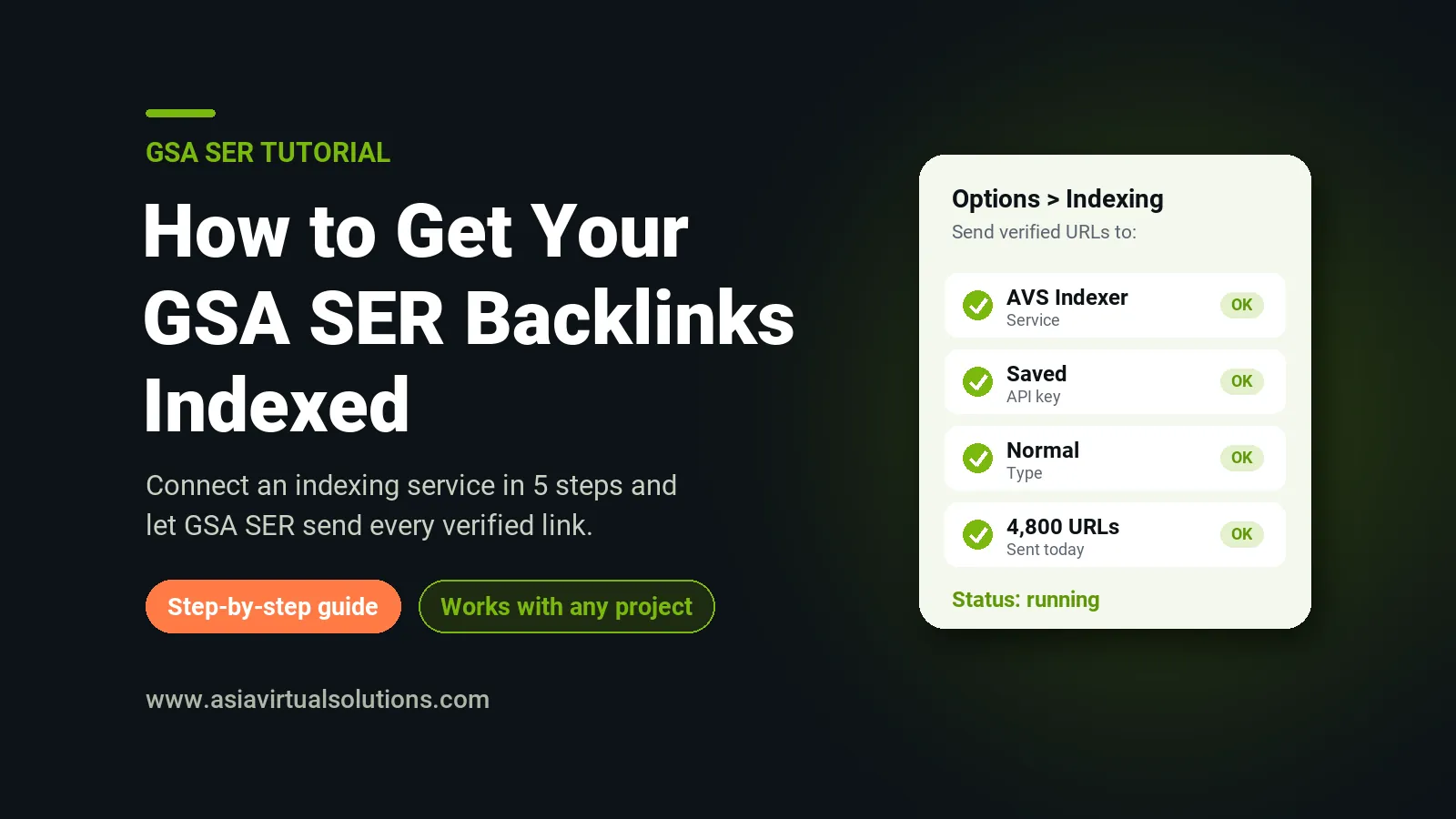
Guide to getting GSA SER backlinks indexed with an indexing service from Asia Virtual Solutions
Daftar Isi menunjukkan
1 🔍 Why Many GSA SER Backlinks Never Get Indexed
2 ✅ What You Need Before You Start
3 ⚙️ How to Connect an Indexing Service to GSA SER in 5 Steps
4 🎯 Normal or Instant Indexing: Which Should You Use?
5 💡 Tips to Get More of Your Backlinks Indexed
6 📊 How Much Does Backlink Indexing Cost?
7 ❓ Pertanyaan yang Sering Diajukan
7.1 Does GSA SER index backlinks by itself?
7.2 How long does backlink indexing take?
7.3 Can I test AVS Indexer before I pay?
7.4 Can I use one account on several GSA SER installs?
7.5 Is instant indexing worth the extra credits?
7.6 Do my indexing credits expire?

Getting your GSA SER backlinks indexed is the step many link builders skip. Pemeringkat Mesin Pencari GSA can build thousands of verified links a day, but a backlink only helps your rankings after Google has crawled and indexed the page it sits on. An indexing service is a tool that sends your new URLs to search engines so they are found sooner. This guide shows you why so many GSA SER links stay invisible, and how to send every verified link for indexing automatically.

🔍 Why Many GSA SER Backlinks Never Get Indexed

Google does not index every page it finds. Most GSA SER targets are profile pages, blog comments, wiki pages and forum posts deep inside large websites. Very few other pages link to them, so Google may take weeks to find them, or never find them at all.

  • Nothing links to the page. A new profile or comment page is often an orphan. Search engines find pages by following links, so an orphan page waits a long time for a visit.
  • Thin or duplicate content. Pages with spun text that reads badly are crawled less often, and Google drops them faster.
  • Low-trust platforms. Some engines produce pages that Google rarely crawls. Your links there are verified, but nobody sees them.

Building more links does not fix this. Getting the links you already have indexed does. That is the job of an indexing service. For a wider look at all your options, read our guide with 17 cara terbukti untuk mengindeks backlink dengan cepat.

✅ What You Need Before You Start

  • GSA Search Engine Ranker. Any recent version of GSA SER works. Most users run it on a GSA SER VPS so it builds links around the clock.
  • Projects that produce verified links. A good daftar tautan terverifikasi gives you more verified URLs to send for indexing. Read why verified and identified link lists work best together.
  • An AVS Indexer account. Sign up free at index.asiavirtualsolutions.com with your email address. New accounts get 50 free credits to test.

⚙️ How to Connect an Indexing Service to GSA SER in 5 Steps

  1. Create your free account. Pergi ke index.asiavirtualsolutions.com, enter your email address and click the login link we send you. Your 50 free credits are added right away.
  2. Create an API key. In your dashboard, open the API page and click Create key. Copy the key and keep it safe.
  3. Open the indexing options in GSA SER. Click Options, open the Indexing tab and add an indexing service. Choose AVS Indexer from the list.
  4. Paste your key and choose the indexing type. Enter your key in the API-Key field and set Indexing_Type to normal or instant.
  5. Save and let it run. GSA SER now sends your verified links to AVS Indexer automatically. Each GSA SER project shows up by name in your submission history.

If AVS Indexer is not in your GSA SER list yet, our GSA SER setup guide has a download of the service file and tells you exactly where to copy it. New to GSA SER? Start with our 9-step GSA Search Engine Ranker setup guide.

🎯 Normal or Instant Indexing: Which Should You Use?

Indexing typeCredits per URLTerbaik untuk
Normal1Tier 2 and tier 3 links, bulk backlinks, large link lists
Instant10Tier 1 links, money pages and new blog posts

A simple rule: use normal indexing for volume and instant indexing for the few links that matter most. Instant indexing gets priority processing. It unlocks after your first credit purchase, and free trial accounts use normal indexing.

💡 Tips to Get More of Your Backlinks Indexed

  • Build tier 2 links to your tier 1. Pages that receive links get crawled more often. A small tier 2 campaign helps your tier 1 links get found. Our tier 1, tier 2 and tier 3 workflow shows how to set this up.
  • Use content that reads well. Readable articles stay indexed longer than badly spun text. Good content for your Proyek GSA SER pays off here.
  • Give it time. Some links are indexed within a day, others take a week or more. Check your results after one to two weeks, not after one hour.
  • Remove engines that never work. If a platform type almost never gets indexed, stop building links there and spend your credits on better targets. This is also why it pays to stop chasing LPM and VPM.

📊 How Much Does Backlink Indexing Cost?

AVS Indexer uses credit packs. Normal indexing uses 1 credit per URL, so 1,000 credits index 1,000 URLs. The bigger the pack, the lower the price per URL.

MengemasCreditsHargaPer 1,000 URLs
Entry1,000$10$10.00
Starter2,500$22$8.80
Basic6,500$50$7.69
Standar20,000$120$6.00
Turbo50,000$290$5.80
Premi140,000$560$4.00
Agency309,000$1,051$3.40

Credits never expire and there are no monthly fees. Duplicates and invalid URLs are removed before we charge, so you only pay for valid, unique URLs. You can see every pack on the URL indexing service halaman.

Try it free

Get Your GSA SER Backlinks Indexed

Sign up with your email, connect GSA SER in 2 minutes and test with 50 free credits.

Start Free – 50 Credits

❓ Pertanyaan yang Sering Diajukan

Does GSA SER index backlinks by itself?

No. GSA SER builds and verifies links, but it does not get them indexed by itself. You connect an indexing service in Options, on the Indexing tab, and GSA SER then sends your verified links to that service automatically.

How long does backlink indexing take?

It varies. Some links are indexed within a day, while others take a week or more. Some pages are never indexed, because Google makes the final decision. No indexing service can guarantee that every URL gets indexed, so be careful with any service that promises it.

Can I test AVS Indexer before I pay?

Yes. Every new account gets 50 free credits after you confirm your email address. Trial accounts can use the dashboard and the API, including the GSA SER connection, with normal indexing. When GSA SER sends a bigger batch on a trial account, we take the first 50 URLs and skip the rest.

Can I use one account on several GSA SER installs?

Yes. One account works on all your GSA SER installs and VPS servers. You can use the same API key everywhere or create a separate key for each server, and your history shows each GSA SER project by name.

Is instant indexing worth the extra credits?

For your most important links, yes. Instant indexing costs 10 credits per URL and gets priority processing. Use it for tier 1 links and money pages, and use normal indexing for bulk tier 2 and tier 3 links.

Do my indexing credits expire?

No. Your credits stay in your account until you use them, and there are no monthly fees. Your dashboard shows every purchase and every submission, so you always know where your credits went.
Postingan Sebelumnya

Ulasan GreenCloudVPS: 13 Tahun Bersama Penyedia VPS yang Peduli

Michael Swart

Michael Swart

Asia Virtual Solutions dengan bangga dimiliki dan dikelola oleh Michael Swart dan tim asisten virtual yang berdedikasi.

Terkait Postingan

Apa itu GSA Search Engine Ranker: Penjelasan GSA SER untuk pemula, dari Asia Virtual Solutions
Tutorial GSA SER

Apa Itu GSA Search Engine Ranker? Penjelasan GSA SER untuk Pemula

oleh Michael Swart
16 Oktober 2026 - Diperbarui pada 17 Oktober 2026
Daftar tautan GSA terbaik: cara memilih daftar tautan GSA SER yang efektif
Tutorial GSA SER

Daftar Tautan GSA Terbaik: Cara Memilih Daftar Tautan GSA SER yang Efektif

oleh Michael Swart
7 Oktober, 2026 - Updated on 13 November, 2026
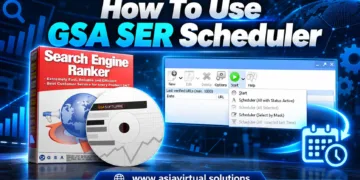
Grafik promosi untuk perangkat lunak GSA Search Engine Ranker yang menampilkan kotak produk, cakram instalasi, dan menu antarmuka perangkat lunak.
Tutorial GSA SER

Cara Menggunakan Penjadwal GSA SER

oleh Michael Swart
6 Oktober 2026 - Diperbarui pada 14 Oktober 2026
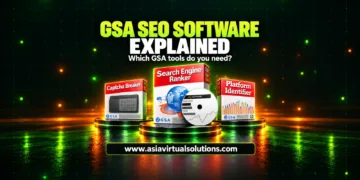
Penjelasan perangkat lunak SEO GSA: GSA Search Engine Ranker dan alat-alat GSA ditinjau oleh Asia Virtual Solutions.
Tutorial GSA SER

Penjelasan Perangkat Lunak SEO GSA: Alat GSA Mana yang Sebenarnya Anda Butuhkan

oleh Michael Swart
3 Oktober, 2026 - Updated on 6 November, 2026
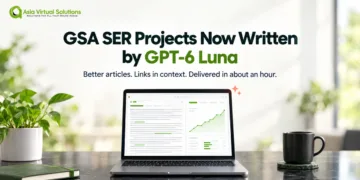
Proyek GSA SER dikerjakan untuk Anda, sekarang ditulis oleh GPT-6 Luna.
Tutorial GSA SER

Proyek GSA SER Dikerjakan untuk Anda: Kini Ditulis oleh GPT-6 Luna dan Dikirim dalam Waktu Sekitar Satu Jam

oleh Michael Swart
1 Oktober, 2026 - Updated on 6 November, 2026
Silakan Masuk untuk bergabung dalam diskusi

Panduan pencarian

Tidak ada hasil
Lihat Semua Hasil

Kategori blog

  • Konten AI & SEO
  • Tutorial GSA SER
  • Hosting & VPS
  • Strategi Membangun Tautan
  • Berita & Pembaruan
  • Ulasan Perangkat Lunak SEO
  • Xrumer & XEvil

Panduan terbaru

  • Ulasan GreenCloudVPS: 13 Tahun Bersama Penyedia VPS yang PeduliDiperbarui 2 November 2026
  • Apa Itu GSA Search Engine Ranker? Penjelasan GSA SER untuk PemulaDiperbarui 17 Okt 2026
  • Daftar Tautan GSA Terbaik: Cara Memilih Daftar Tautan GSA SER yang EfektifUpdated 13 Nov 2026
  • Di mana menjalankan GSA SER: VPS vs. PC Anda Sendiri vs. Shared HostingUpdated 7 Nov 2026
  • Cara Menggunakan Penjadwal GSA SERDiperbarui 14 Okt 2026

Dapatkan panduan baru melalui email.

Panduan GSA SER, RankerX, dan VPS terbaru, dikirim ke kotak masuk Anda. Tanpa spam. Berhenti berlangganan kapan saja.

Formulir Berlangganan

Layanan populer

  1. 1Proyek Pemeringkat Mesin Pencari GSA - Selesai Untuk AndaMulai dari $9.955.0 (31)
  2. 2Paket Email Pemeringkat Mesin Pencari GSADari $4.005.0 (15)
  3. 3VPS Pemeringkat Mesin Pencari GSAMulai dari $139.005.0 (10)
  4. 4GSA Search Engine Ranker Verified Link List — Identified & Verified URLsDari $53.505.0 (17)
4.9

Berdasarkan 258 ulasan berperingkat melalui Google, WooCommerce & Facebook

  • Terpercaya sejak 2013
  • Ditangani secara pribadi, tanpa bot, tanpa outsourcing.
  • Kampanye di lebih dari 80 negara

Terjebak dalam sebuah kampanye?

Tanyakan tentang GSA SER, RankerX, atau pengaturan VPS Anda. Anda akan mendapatkan jawaban langsung dari seseorang yang menggunakan alat-alat ini setiap hari.

Tanyakan pada Michael

Layanan unggulan

Banner Backlink SEO Rocket

Semua Hal yang Berkaitan dengan Hukum

  • Perjanjian Afiliasi
  • Antispam
  • Preferensi komunikasi
  • Kebijakan Cookie
  • Penafian
  • Kebijakan Tautan Eksternal
  • Kebijakan Facebook
  • Pernyataan FTC
  • Kebijakan Privasi
  • Kebijakan Pengembalian Dana & Garansi
  • Syarat dan Ketentuan
  • Pengungkapan Testimoni

Belanja Aman

Bersertifikat Penjelajahan Hemat Google
Logo situs web Norton Safe dengan latar belakang putih.

Hubungi Kami

Kantor Virtual Asia

  • Asia Virtual Solutions LLC, Lantai 29, The Offices at Centralworld, Jalan Rama I No. 999/9, Pathumwan, Bangkok, Thailand
  • co*****@******************ns.com
  • +66 64 930 7026
  • asiavirtual
  • Asia Virtual Solutions di LinkedIn
  • Gabung ke saluran Telegram kami

Penyedia Server Pilihan Kami

Logo GreenCloudVPS

© 2026 - Asia Virtual Solutions LLC. Semua Hak Dilindungi Undang-Undang. Situs web dioperasikan dan dikelola oleh: Asia Virtual Solutions LLC

Tidak ada thumbnail
Diunggah
Gagal
Menghapus file yang diunggah
We've detected you might be speaking a different language. Do you want to change to:
English language flag English
简体中文 language flag 简体中文
Deutsch (Sie) language flag Deutsch (Sie)
Bahasa Indonesia language flag Bahasa Indonesia
Italiano language flag Italiano
日本語 language flag 日本語
한국어 language flag 한국어
Português do Brasil language flag Português do Brasil
Русский language flag Русский
Español de México language flag Español de México
ไทย language flag ไทย
Tiếng Việt language flag Tiếng Việt
Türkçe language flag Türkçe
Change Language
Close and do not switch language
Tidak ada hasil
Lihat Semua Hasil
  • Beranda
  • Pemeringkat Mesin Pencari GSA
    • Tanya Jawab untuk Pemeringkat Mesin Pencari GSA
    • Alat & Perlengkapan Tambahan GSA SER
    • Tutorial GSA SER
    • GSA SER Indexer – Free Trial
  • Blog
    • Konten AI & SEO
    • Tutorial GSA SER
    • Hosting & VPS
    • Strategi Membangun Tautan
    • Berita & Pembaruan
    • Ulasan Perangkat Lunak SEO
    • Xrumer & XEvil
  • Belanja
    • Artikel Konten & AI
    • Alat & Perlengkapan Tambahan GSA SER
    • Layanan Hosting
    • Layanan Membangun Tautan
    • URL Indexer – Free Trial
    • Pengirim Robot Uang
    • RankerX
    • Layanan yang Direkomendasikan
    • Layanan Media Sosial
    • Layanan Xrumer

© 2026 - Asia Virtual Solutions LLC. Semua Hak Dilindungi Undang-Undang. Situs web dioperasikan dan dikelola oleh: Asia Virtual Solutions LLC

Bahasa Indonesia language flagBahasa Indonesia
English language flagEnglish 简体中文 language flag简体中文 Deutsch (Sie) language flagDeutsch (Sie) Italiano language flagItaliano 日本語 language flag日本語 한국어 language flag한국어 Português do Brasil language flagPortuguês do Brasil Русский language flagРусский Español de México language flagEspañol de México ไทย language flagไทย Tiếng Việt language flagTiếng Việt Türkçe language flagTürkçe