


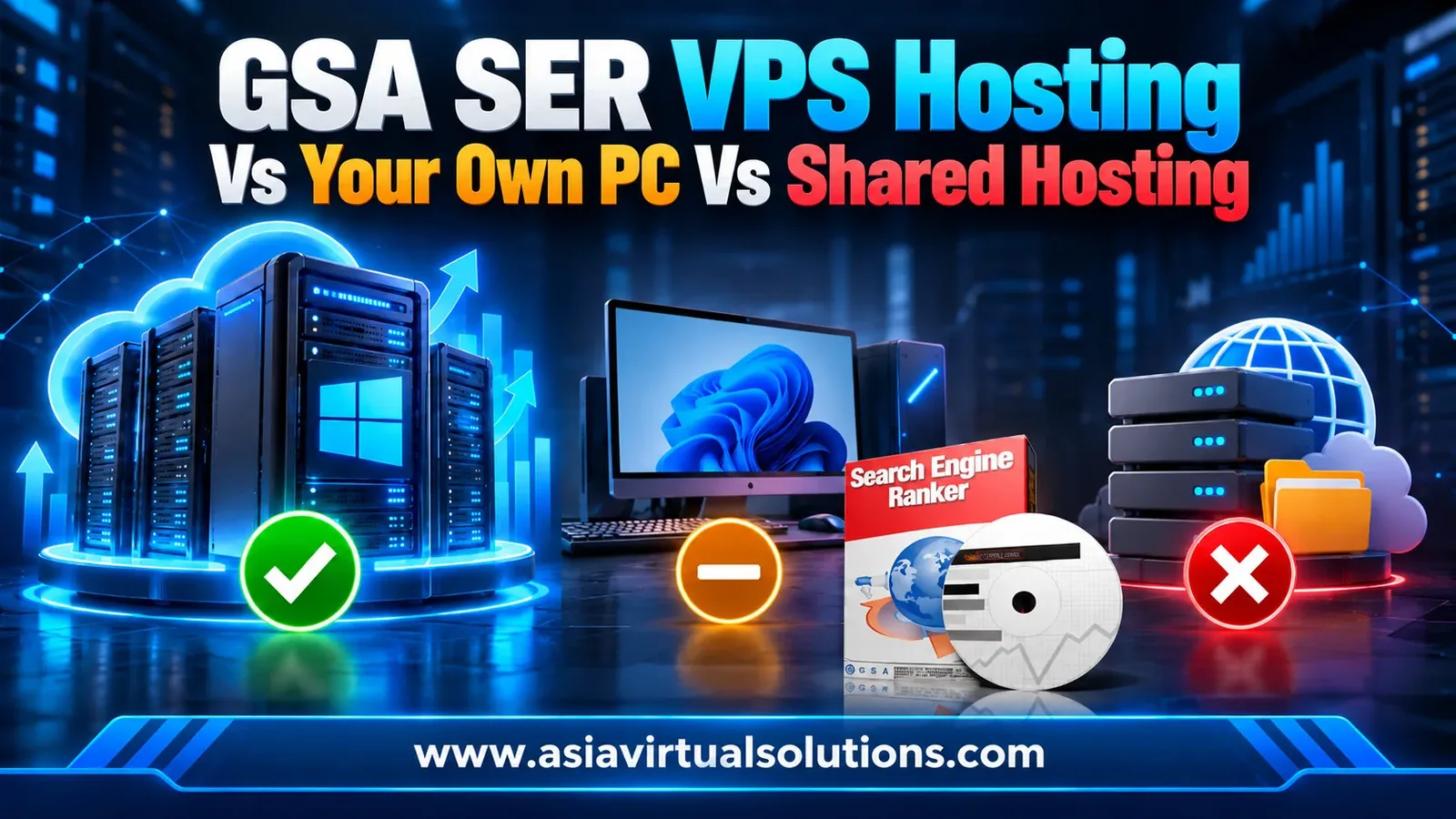
Anda membeli Pemeringkat Mesin Pencari GSA. Now it needs somewhere to run, and the cheapest-looking answer is the shared hosting plan you already pay for.
Itu tidak akan berfungsi di sana. GSA SER adalah perangkat lunak desktop Windows, dan paket shared hosting adalah folder di server web orang lain. Pilihan sebenarnya adalah antara komputer Anda sendiri, VPS Windows, dan, untuk pengaturan yang sangat besar, dedicated server.
Panduan ini menunjukkan mengapa shared hosting tidak cocok, apa yang Anda korbankan dengan menjalankan GSA SER di PC Anda sendiri, apa yang seharusnya termasuk dalam VPS GSA SER, dan berapa biayanya.
💡 Singkatnya
GSA SER sama sekali tidak dapat dijalankan di shared hosting. VPS Windows adalah tempat yang tepat untuknya, karena selalu online 24/7 dan Anda mendapatkan kendali administrator penuh.
PC Anda sendiri bisa digunakan untuk pengujian, tetapi ini adalah pilihan terlemah untuk kampanye yang ingin Anda jalankan terus menerus.
- Shared hosting tidak memiliki desktop, Remote Desktop, dan hak administrator, sehingga perangkat lunak Windows tidak dapat diinstal di dalamnya.
- PC Anda sendiri dapat menjalankan GSA SER, tetapi program tersebut akan berhenti ketika Anda mematikannya, kehilangan daya, atau kehilangan koneksi internet.
- VPS Windows berjalan sepanjang waktu pada IP khusus, dan Anda mengontrolnya melalui Remote Desktop.
- VPS GSA SER kami memiliki 10 inti CPU, RAM ECC 12 GB, dan penyimpanan NVMe 150 GB, yang dibangun dan dikonfigurasi untuk Anda mulai dari $139 per bulan.
- Beralihlah ke server khusus hanya ketika VPS Anda menunjukkan beban yang nyata, bukan sebelumnya.
Shared hosting dirancang untuk melayani halaman web. Anda mendapatkan folder, basis data, dan panel kontrol, dan file Anda berada di server yang juga digunakan oleh ratusan situs lain.
GSA Search Engine Ranker adalah program yang berbeda. Ini adalah aplikasi yang Anda instal di Windows, buka di desktop, dan biarkan berjalan selama berminggu-minggu sambil membuka ratusan koneksi ke proxy, layanan CAPTCHA, dan situs target.
- Tidak ada desktop Windows untuk menginstalnya.
- Tidak ada akses Remote Desktop, jadi Anda tidak dapat masuk dan mengelolanya.
- Anda tidak memiliki hak administrator, sehingga Anda tidak dapat menginstal perangkat lunak atau mengubah pengaturan sistem.
- Sebagian besar penyedia shared hosting menghentikan proses latar belakang yang berjalan lama untuk melindungi akun lain di server yang sama.
Beberapa penyedia hosting akan menawarkan paket yang tampak bagus, tetapi paket apa pun yang tidak dapat memberi Anda desktop Windows dan hak administrator penuh bukanlah tempat yang tepat untuk menjalankan GSA SER. Periksa hal ini sebelum Anda membayar apa pun.
⚖️ Di mana Anda dapat menjalankan GSA SER? Empat opsi dibandingkan
| Pilihan | Bisakah perangkat ini menjalankan GSA SER? | Beroperasi 24/7? | Alamat IP Anda | Terbaik untuk |
|---|---|---|---|---|
| Hosting bersama | TIDAK | Tidak berlaku | Dibagikan dengan situs lain | Situs web, bukan GSA SER. |
| Komputer atau laptop Anda sendiri | Ya | Hanya saat sedang aktif dan online. | Koneksi rumah Anda | Pembelajaran dan pengujian |
| VPS Windows | Ya | Ya | IP khusus milik kami | Hampir setiap pengguna GSA SER |
| Server khusus | Ya | Ya | Milikmu | Pengaturan skala agensi |
🔧 Menjalankan GSA SER di PC Anda sendiri
Komputer Anda sendiri adalah satu-satunya pilihan murah yang berfungsi dengan baik, dan merupakan tempat yang tepat untuk mempelajari perangkat lunak. Masalah muncul ketika Anda mencoba menjalankan kampanye sungguhan di komputer tersebut.
- Prosesnya berhenti saat PC Anda berhenti. Restart untuk pembaruan, pemadaman listrik, atau koneksi terputus mengakhiri proses, dan Anda kehilangan waktu posting yang tidak dapat Anda peroleh kembali.
- Aplikasi ini menggunakan mesin Anda sendiri. GSA SER menggunakan CPU, memori, dan kapasitas jaringan yang Anda butuhkan untuk semua hal lain yang Anda lakukan.
- Aplikasi ini berjalan menggunakan koneksi internet rumah Anda. Alamat IP rumah Anda yang melakukan tugas tersebut, dan alamat IP tersebut dapat berubah saat router Anda dihidupkan ulang.
- Anda tidak bisa membiarkannya begitu saja. Membangun tautan (link building) membutuhkan waktu berminggu-minggu untuk membuahkan hasil, jadi laptop di atas meja bukanlah pilihan yang tepat untuk pekerjaan ini.
Setelah Anda memahami perangkat lunak tersebut dan menginginkan hasil yang tidak bergantung pada komputer Anda sendiri, pindahkan ke server. Kami Panduan pengaturan GSA SER 9 langkah Mencakup pengaturan untuk mesin mana pun yang Anda pilih.
🖥️ Apa yang seharusnya termasuk dalam VPS GSA SER?
VPS adalah server Windows yang hanya Anda akses untuk masuk. Anda terhubung melalui Remote Desktop, menginstal apa pun yang Anda inginkan, dan membiarkannya berjalan. Berikut adalah spesifikasi yang penting untuk GSA SER, dengan angka-angka dari konfigurasi yang kami buat sendiri.
| Apa yang perlu diperiksa | Mengapa hal ini penting bagi GSA SER | VPS GSA SER kami |
|---|---|---|
| Windows Server | GSA SER hanya berjalan di Windows. | Windows Server 2022, berlisensi dari kami |
| inti CPU | Setiap thread dan proyek membutuhkan daya pemrosesan. | 10 inti |
| Ingatan | Banyak koneksi terbuka membutuhkan RAM. | RAM ECC 12 GB |
| Penyimpanan | Catatan log, daftar lokasi, dan berkas proyek terus-menerus ditulis. | 150 GB NVMe |
| Jaringan | Layanan proxy dan captcha membutuhkan koneksi yang cepat dan tanpa batasan kuota. | 10 Gbps, bandwidth tak terbatas |
| Alamat IP | Alamat Anda sendiri, tidak dibagikan. | 1 IP khusus |
| Akses | Anda memerlukan kendali penuh untuk menginstal dan mengubah berbagai hal. | Akses Desktop Jarak Jauh, hak administrator penuh |
Semua elemen lain dalam tumpukan sama pentingnya. Server cepat tanpa penyelesaian captcha, tanpa proxy, dan tanpa daftar tautan tetap menghasilkan sedikit tautan. Itulah mengapa kami menyertakannya, dan mengapa pengaturannya dilakukan untuk Anda.

✅ Apa saja yang termasuk dalam GSA SER VPS kami?
- Tak terbatas Pemecahan CAPTCHA for reCAPTCHA, hCaptcha, image and text captchas, connected to our own XEvil server.
- Proxy publik premium, difilter dan diperbarui setiap 15 menit.
- 10 proxy khusus, diganti dengan 10 proxy baru setiap bulan.
- The Daftar tautan Asia Virtual Solutions, updating in real time.
- Pengindeks SEO GSA and GSA URL Redirect Pro running on our external server, so you need no licence for them and your VPS spends no resources on indexing.
- GSA Search Engine Ranker telah terpasang dan semua pengaturan telah dikonfigurasi, siap untuk lisensi Anda.
- Proyek Anda yang sudah ada akan dipindahkan dari VPS lama Anda, jika Anda mengirimkan detail Remote Desktop-nya kepada kami.
Jumlah proxy tetap penting setelah Anda meningkatkan skala. Kami menyarankan satu proxy untuk setiap 10 thread, dan kami panduan membeli proxy GSA SER menjelaskan cara menentukan ukuran dan memilihnya.
💰 Berapa biaya GSA SER VPS?
Setiap paket memiliki server dan pengaturan yang sama. Satu-satunya perbedaan adalah seberapa jauh Anda membayar di muka, dan pembayaran di muka yang lebih besar akan menurunkan biaya bulanan.
| Periode penagihan | Harga | Biaya per bulan | Tabungan vs bulanan |
|---|---|---|---|
| 1 bulan | $139.00 | $139.00 | Tidak ada |
| 3 bulan | $396.00 | $132.00 | 5% |
| 6 bulan | $771.00 | $128.50 | 7.5% |
| 1 tahun | $1,500.00 | $125.00 | 10% |
Untuk perbandingan yang adil, jumlahkan biaya komponen yang sama jika dibeli secara terpisah: server dengan ukuran ini, penyelesaian captcha, proxy, daftar tautan, alat pengindeksan, dan orang berpengalaman untuk mengkonfigurasi semuanya. Halaman produk mencantumkan setiap item, dan dengan harga minimum yang kami tampilkan, totalnya mencapai $772,50.
Satu biaya tidak termasuk. Anda menyediakan sendiri lisensi GSA Search Engine Ranker, yang merupakan pembelian sekali bayar. Kami akan menginstal dan mengkonfigurasi perangkat lunak, dan Anda memasukkan lisensi Anda saat masuk atau mengirimkannya kepada kami bersama pesanan Anda. Tinjauan GSA SER Menjelaskan biaya lisensi dan siapa yang cocok untuk lisensi tersebut.
🚩 Hal-hal yang perlu diwaspadai saat memilih VPS untuk GSA SER
Salah satu dari hal-hal ini perlu dipertanyakan sebelum Anda membayar. Jika keduanya terjadi bersamaan, sebaiknya Anda mencari tempat lain.
- VPS khusus Linux. GSA SER membutuhkan Windows, jadi Anda akan membayar server yang tidak dapat Anda gunakan.
- Tidak ada akses Remote Desktop atau hak administrator.
- Menggunakan hard disk berputar sebagai pengganti penyimpanan NVMe.
- Memori yang tersedia lebih sedikit daripada yang dibutuhkan oleh jumlah thread Anda, atau paket yang tidak menyebutkan jumlah RAM yang dibutuhkan.
- Batasan bandwidth atau batasan "penggunaan wajar" tanpa angka yang tertera.
- Persyaratan layanan yang melarang perangkat lunak yang berjalan lama, atau penyedia hosting yang menghentikan proses latar belakang.
- Tidak ada IP khusus, jadi alamat Anda dibagikan dengan orang asing.
- Dukungan yang hanya tersedia melalui formulir kontak.
📈 Kapan sebaiknya beralih dari satu VPS?
Satu VPS sudah cukup untuk kebanyakan orang. Jangan melakukan upgrade hanya karena mesin yang lebih besar terdengar lebih baik. Lakukan upgrade saat server memberi tahu Anda bahwa server sedang mengalami kesulitan.
- CPU tetap berada di angka sekitar 100% selama pengoperasian normal.
- Memori tetap hampir penuh, dan Windows mulai melakukan swapping ke disk.
- Anda menjalankan beberapa instance GSA SER yang berat secara bersamaan, atau menggabungkan GSA SER dengan alat-alat berat lainnya pada satu mesin.
Server khusus sepenuhnya hanya masuk akal untuk pekerjaan skala agensi dengan beberapa instance berat. Sebelum Anda mengeluarkan lebih banyak uang, periksa jumlah thread Anda dibandingkan dengan proxy dan konfigurasi Anda. Pengaturan GSA SER, karena itulah penyebab umum dari hasil yang buruk. Penjelasan kami tentang mencapai 200+ LPM Menampilkan konfigurasi VPS nyata yang berjalan dengan kecepatan tinggi.
⚙️ Cara pemesanan
- Pilih periode penagihan Anda dan beri tahu kami alat GSA tambahan mana yang ingin Anda instal.
- Selesaikan proses checkout. Jika Anda ingin memindahkan proyek Anda, kirimkan detail Remote Desktop dari VPS Anda saat ini kepada kami.
- Kami merakit server secara manual, mengaktifkan Windows Server 2022, dan menginstal GSA Search Engine Ranker.
- Kami mengkonfigurasi proxy, penyelesaian captcha, daftar tautan, GSA SEO Indexer dan GSA URL Redirect Pro, lalu menguji semuanya.
- Kami akan mengirimkan alamat IP, nama pengguna administrator, dan kata sandi Anda melalui email. Anda terhubung melalui Remote Desktop, memasukkan lisensi GSA Anda, dan memulai proyek Anda.
Setiap server dikonfigurasi secara manual, bukan menggunakan skrip. VPS Anda biasanya siap 1 hingga 6 jam setelah pemesanan selama jam kerja kami, dan dalam satu hari di luar jam kerja. Kami bekerja berdasarkan Zona Waktu Indochina, UTC+7.
Mulai dari $139 per bulan
Dapatkan VPS GSA SER yang dibangun dan dikonfigurasi untuk Anda.
Windows Server 2022, penyelesaian captcha, proxy, dan daftar tautan kami, disiapkan oleh orang-orang yang telah menjalankan GSA SER sejak tahun 2012.
Dapatkan VPS GSA SER Anda
❓ Pertanyaan umum
Tidak. GSA SER adalah perangkat lunak desktop Windows, dan shared hosting memberi Anda folder di server web tanpa desktop, tanpa Remote Desktop, dan tanpa hak administrator. Anda membutuhkan VPS Windows, dedicated server, atau komputer Windows Anda sendiri.
Bisakah saya menjalankan GSA SER di komputer saya sendiri?
Ya, dan ini adalah cara yang baik untuk mempelajari perangkat lunak tersebut. Batasannya adalah program ini hanya berjalan saat PC Anda menyala dan terhubung ke internet; program ini menggunakan CPU, memori, dan koneksi internet rumah Anda sendiri, dan restart atau pemadaman listrik akan menghentikan prosesnya. Untuk kampanye yang ingin Anda biarkan berjalan sendiri, gunakan VPS.
Apa saja yang termasuk dalam GSA SER VPS?
Server kami menggunakan Windows Server 2022, 10 inti CPU, RAM ECC 12 GB, penyimpanan NVMe 150 GB, IP khusus, dan koneksi 10 Gbps dengan bandwidth tak terbatas. GSA SER sudah terpasang dan dikonfigurasi, dengan penyelesaian CAPTCHA tak terbatas, proxy publik premium, 10 proxy khusus, daftar tautan kami, GSA SEO Indexer, dan GSA URL Redirect Pro.
Apakah saya memerlukan lisensi GSA Search Engine Ranker sendiri?
Ya. Tidak ada lisensi perangkat lunak yang disertakan kecuali Windows Server 2022. Anda menyediakan sendiri lisensi GSA SER Anda, dan lisensi Anda sendiri untuk produk GSA lain yang Anda minta untuk kami instal. GSA SEO Indexer dan GSA URL Redirect Pro adalah pengecualian, karena keduanya berjalan di server eksternal kami.
Berapa lama waktu yang dibutuhkan untuk penyiapan?
Biasanya 1 hingga 6 jam selama jam kerja, dan dalam satu hari di luar jam kerja. Kami mengaktifkan Windows dan mengkonfigurasi setiap perangkat lunak secara manual, jadi prosesnya tidak instan. Jika Anda belum menerima kabar dari kami setelah 12 jam, kirimkan pengingat melalui email atau Telegram.
Bisakah Anda memindahkan proyek GSA SER saya yang sudah ada?
Ya. Kirimkan kepada kami alamat IP Remote Desktop, nama pengguna, dan kata sandi VPS Anda saat ini ketika Anda memesan, dan kami akan memindahkan proyek Anda ke server baru. Beri tahu kami jika Anda ingin instalasi lama tetap berjalan sampai Anda memastikan semuanya telah sampai.
Apakah saya memerlukan dedicated server dan bukan VPS?
Kebanyakan orang tidak melakukannya. Tingkatkan VPS Anda hanya ketika VPS menunjukkan beban yang nyata: CPU mendekati 100% atau memori hampir penuh selama pengoperasian normal, biasanya karena menjalankan beberapa instance berat sekaligus. Periksa thread, proxy, dan pengaturan Anda terlebih dahulu, karena itu biasanya penyebab kinerja yang buruk.
Apa kebijakan pengembalian dana Anda?
Syarat dan ketentuan lengkapnya ada di halaman kami. halaman kebijakan pengembalian dana, dan ada baiknya Anda membacanya sebelum memesan. Jika ada masalah dengan VPS itu sendiri, beri tahu kami terlebih dahulu. Sebagian besar masalah ternyata adalah masalah konfigurasi yang dapat kami perbaiki di tempat.
📚 Bacaan terkait
- Cara mengatur GSA Search Engine Ranker: 9 langkah dengan tutorial video
- Beli proxy GSA SER: pengaturan proxy terbaik untuk membangun tautan.
- Bagaimana cara meningkatkan tingkat penyelesaian CAPTCHA di GSA SER?
- Ulasan GSA Search Engine Ranker: 13 tahun penggunaan sehari-hari
- Kiat pemeliharaan untuk Pemeringkat Mesin Pencari GSA







 English
  简体中文
简体中文  Deutsch (Sie)
  Bahasa Indonesia
  Italiano
  日本語
日本語  한국어
한국어  Português do Brasil
  Русский
  Español de México
  ไทย
ไทย  Tiếng Việt
  Türkçe