• ہمارے بارے میں
    • ایشیا ورچوئل حل کے ساتھ تعاون یا تعاون کریں۔
  • ملحقہ
  • ہم سے رابطہ کریں۔
  • میرا اکاؤنٹ
  • سپورٹ پورٹل
ایشیا ورچوئل حل:
  • گھر
  • GSA سرچ انجن رینکر
    • GSA سرچ انجن رینک کے لیے اکثر پوچھے گئے سوالات
    • GSA SER ٹولز اور ایڈ آنز
    • GSA سرچ انجن رینکر گائیڈز
    • GSA کیپچا بریکر گائیڈ
    • جی ایس اے ہوسٹنگ
  • بلاگ
    • کیپچا حل کرنا
    • مواد کی تخلیق
    • مواد سکریپنگ
    • مواد اسپننگ
    • GSA سرچ انجن رینکر ٹیوٹوریلز اور لنک بلڈنگ گائیڈز
    • VPS ہوسٹنگ سروسز
    • منی روبوٹ ٹیوٹوریلز
    • کیسے؟
    • ایشیا ورچوئل سلوشنز نیوز
    • تجویز کردہ SEO سافٹ ویئر کے جائزے
    • ویب مارکیٹنگ
    • Xrumer اور Xevil تکنیک اور سبق
  • دکان
    • مواد اور AI مضامین
    • GSA SER ٹولز اور ایڈ آنز
    • ہوسٹنگ سروسز
    • لنک بلڈنگ سروسز
    • منی روبوٹ جمع کرنے والا
    • RankerX
    • تجویز کردہ خدمات
    • سوشل میڈیا سروسز
    • ایکسرومر سروسز
کوئی نتیجہ نہیں۔
تمام نتائج دیکھیں
ایشیا ورچوئل حل: ماہر GSA SER اور ڈیجیٹل مارکیٹنگ

گھر » بلاگ » GSA سرچ انجن رینکر کو کیسے اپ ڈیٹ کریں۔

GSA سرچ انجن رینکر کو کیسے اپ ڈیٹ کریں۔

مائیکل سوارٹ کی طرف سے مائیکل سوارٹ
میں اصلاح اور دیکھ بھال
Reading Time: 9 mins read
0
GSA سرچ انجن رینکر سافٹ ویئر کو اپ ڈیٹ کرنے کے بارے میں رہنمائی کیسے کریں، بشمول اپ ڈیٹ کرنے والے ڈیجیٹل ہاتھ کی گرافیکل نمائندگی۔.
مندرجات کا جدول دکھائیں
1 How do You Know When an Update is available for your GSA Search Engine Ranker
2 How to Proceed with the Update of GSA SER
3 GSA سرچ انجن رینکر کو کیسے اپ ڈیٹ کریں۔
4 Additional GSA Search Engine Ranker How To Questions answered
5 Frequentely Asked Questions Related to GSA Search Engine Ranker Updates
6 External Links For Reference and More info on GSA Search Engine Ranker Updates
7 Useful Statistics on GSA SER Updates

Updating GSA Search Engine ranker is important because the updates contain bug fixes and also new features which are essential for the smooth operation of the software.

GSA Search Engine normally gets updated at least once a week and sometimes several times a week, yet I am surprised to see that many GSA SER users do not immediately or never update their installation of GSA Search Engine Ranker as soon as it becomes available. So I guess they either don't know how to update or they don't care to update it due to a lack of understanding why.

So, I decided to do this blog post to show you how to update your GSA سرچ انجن رینکر to ensure it is working optimally.  

How do You Know When an Update is available for your GSA Search Engine Ranker

When you open the GSA سرچ انجن رینکر software after it has been closed, it will notify you that an update is available as soon as the software has started. You then can select “Yes” to install the update (recommended option), or if for some reason you do not want to install the جی ایس اے ایس ای آر Update you then select “NO” (not recommended option).
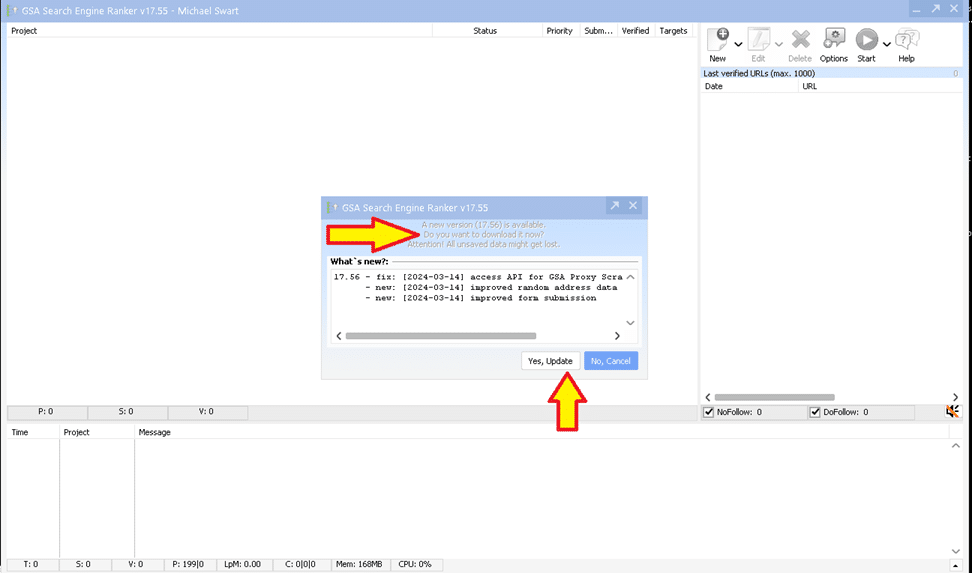
Screenshot of the GSA Search Engine Ranker interface with a pop-up window showing an error message related to an update.

Suppose the GSA سرچ انجن رینکر is already running on your وی پی ایس or PC and a new update is available. In that case, you will see a green notification at the bottom right footer of the software indicating that the update is available. All you have to do is simply click the green button, which indicates the update, and then follow the steps.
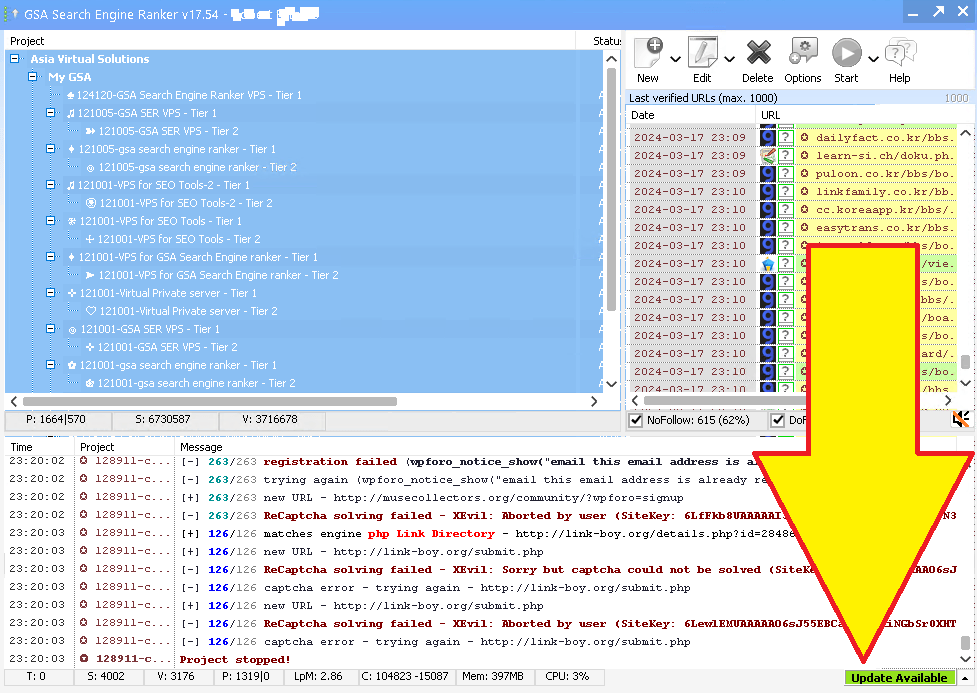

A screenshot of GSA Search Engine Ranker software interface with a large yellow arrow pointing to the bottom right corner where an 'update available' notification is displayed, illustrating how to proceed with the update.
GSA سرچ انجن رینک Update Available
GSA سرچ انجن رینک کو کیسے اپ ڈیٹ کریں 1
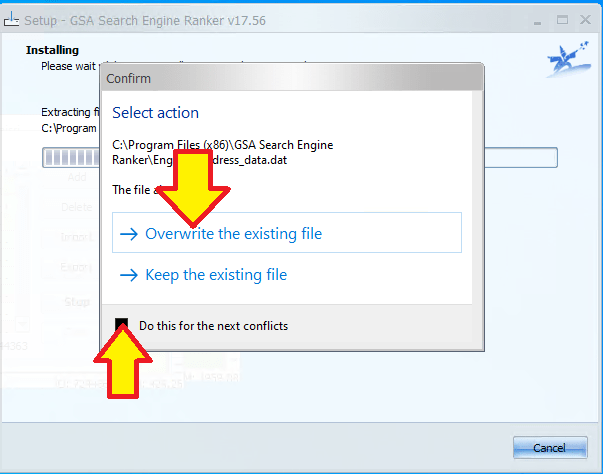
Update prompt showing a file conflict for GSA Search Engine Ranker, with options to overwrite the existing file or keep the current file, and a checkbox for applying the chosen action to future conflicts.
Confirm to Overwrite جی ایس اے ایس ای آر

How to Proceed with the Update of GSA SER

OK, so now that you see that an update is available, what do you do? Seriously?

To proceed, either click on the “Yes Update” like in the first screenshot I posted above, or if you just logged into your VPS and you see the green update as shown in the 2nd screenshot above, then all you do is click on the green label that says “Update”.

Whilst Installing you might see a pop up like the one on the right here, which asks you to “confirm to overwrite“.

GSA Search Engine Ranker will automatically download the update, and then stop all your running projects and then close جی ایس اے ایس ای آر and install, Onc eit is done installing it will restart GSA Search Engine Ranker and you are done, your GSA has been updated to the latest version.


GSA سرچ انجن رینکر کو کیسے اپ ڈیٹ کریں۔

Additional GSA Search Engine Ranker How To Questions answered

How To Automatically Update GSA Search Engine Ranker for Peak Performance

Maintaining the efficiency of your GSA Search Engine Ranker is straightforward with its automatic update feature. To ensure the program stays up to date, launch GSA Search Engine Ranker and navigate to the ‘Settings' menu. Look for the ‘Auto-Update' section and ensure the box is checked to enable automatic downloading and installation of new updates. The software will now routinely check for updates and apply them when you start the application, keeping your tool in the best condition to handle your SEO tasks. Regular updates also mean you benefit from the latest features and optimizations that the developers release.

How To Manually Update GSA Search Engine Ranker When Automatic Update Fails

If you find that the automatic update feature isn't working, you can manually update GSA Search Engine Ranker to ensure you don't fall behind. Start by opening GSA Search Engine Ranker and going to the ‘Help' menu. From there select ‘Check for Updates'. If there is an update available, follow the prompts to download and install the latest version. Always ensure you have a stable internet connection to avoid any interruptions during the download and installation process. If manual updates fail, consult the GSA Forum or contact customer support for further assistance.

How To Optimize Your GSA Search Engine Ranker With Regular Scheduled Updates

While GSA Search Engine Ranker does not offer a feature to schedule updates for a specific time, you can adopt a routine to regularly update the software manually. You can create a reminder on your calendar to check for updates every week or month, depending on your needs. To check for updates, open the software, go to the ‘Help' menu, and select ‘Check for Updates'. Keeping the software updated not only ensures better performance but it also introduces new features that could give you an edge in your SEO strategy.

How To Rollback GSA Search Engine Ranker Updates

In some cases, you may need to rollback an update of GSA Search Engine Ranker if you encounter issues. To do this, visit the official GSA website and navigate to the ‘Download' section where you can find previous versions of the software. Download the version you were using before the update, and install it. Remember to backup your projects before rolling back, as you may lose recent changes or additions to your campaigns. It is also advisable to report any issues with the new update to the GSA team so they can address them in future releases.

How To Verify Your GSA Search Engine Ranker Is Up to Date

Ensuring your GSA Search Engine Ranker is current is crucial for maintaining its effectiveness. To verify you're using the latest version, open the program and check the version number at the bottom of the main window. Compare this with the latest version number listed on the GSA website under the ‘News' or ‘Updates' section. If your version is older, you can update the software using the automatic update feature or manually through the ‘Help' menu where you select ‘Check for Updates'. Staying updated ensures you are using a tool that is fully compatible with current search engine algorithms and methodologies.

Frequentely Asked Questions Related to GSA Search Engine Ranker Updates

How can I ensure my GSA Search Engine Ranker is always up to date?

To keep your GSA سرچ انجن رینکر up to date, enable automatic updates within the software settings. The program typically checks for updates automatically when you start it, and if there is a new version, it will prompt you to update. You can also manually check for updates by navigating to the ‘Help' menu and selecting ‘Check for Updates'. It is recommended to always run the latest version to ensure optimal performance and access to the latest features.

What are the benefits of updating GSA Search Engine Ranker?

Keeping your GSA Search Engine Ranker updated ensures that you have the latest bug fixes, improvements, and features. Updates can increase the efficiency of the software, provide enhanced stability, and offer new or improved functionality for building backlinks and optimizing your سرچ انجن rankings. Regular updates also help to maintain compatibility with various search engine algorithms and can improve the success rate of your submissions.

Can I schedule updates for GSA Search Engine Ranker to run at specific times?

GSA سرچ انجن رینکر does not provide an option to schedule updates for a specific time. However, the software can automatically check for and install updates upon startup. If you want to control when updates occur, you would need to manually initiate the update process at your desired time by checking for updates via the ‘Help' menu.

What should I do if my GSA Search Engine Ranker fails to update automatically?

If your GSA Search Engine Ranker fails to update automatically, you should first check your internet connection to ensure it is active and stable. If the internet connection is fine, try manually checking for updates through the ‘Help' menu by selecting ‘Check for Updates'. If the problem persists, visit the official GSA forum or contact their support for assistance. Sometimes firewall or antivirus settings can block the updater, so make sure the GSA سرچ انجن رینکر is whitelisted in your security software.

Are there any risks associated with not updating GSA Search Engine Ranker?

Not updating GSA Search Engine Ranker can lead to several risks including reduced software performance, increased likelihood of encountering bugs, and potential security vulnerabilities. Furthermore, as search engines update their algorithms, older versions of the software may not be as effective in SEO strategies, possibly impacting the success of your link-building campaigns. Therefore, it is generally recommended to maintain the software with the latest updates to ensure the best performance and results.
"GSA Search Engine Ranker: The Ultimate Tool for Improving Your Search Rankings" کے لیے پیکیجنگ نمایاں طور پر ایک گلوبل گرافک دکھاتی ہے، جو اس کے عالمی اثرات کو نمایاں کرتی ہے۔ سیاق و سباق کے لنکس بنانے اور اپنی آن لائن موجودگی کو مؤثر طریقے سے بڑھانے کے لیے اس ٹول کی صلاحیت کا فائدہ اٹھائیں۔.
GSA سرچ انجن رینکر

External Links For Reference and More info on GSA Search Engine Ranker Updates

  • The official GSA Search Engine Ranker website is the primary resource for downloading the latest updates and reading about new features.
  • For a detailed guide on how to update your GSA Search Engine Ranker, visit GSA Search Engine Ranker Documentation on Updates which provides step-by-step instructions.
  • دی GSA Forum is an excellent place to learn from the community and get assistance on keeping your software up to date.
  • Reviewing the GSA Search Engine Ranker Changelog allows users to see the latest changes made to the software and understand what each update brings.
  • Articles on ایشیا ورچوئل حل often discuss the benefits of maintaining updated SEO tools like GSA Search Engine Ranker and provide insights into best practices.

GSA سرچ انجن رینک 2 کو کیسے اپ ڈیٹ کریں۔

Useful Statistics on GSA SER Updates

  • Approximately 90% of GSA Search Engine Ranker users who maintain up-to-date software report increased efficiency in their SEO campaigns.
  • Regular updates of GSA Search Engine Ranker have been shown to result in a 70% decrease in reported software bugs and anomalies within user operations.
  • A survey revealed that users who update GSA Search Engine Ranker as soon as updates become available experience up to 50% better performance in link-building tasks compared to those using older versions.
  • Data indicates that nearly 80% of successful GSA سرچ انجن رینکر projects are attributed to consistent use of the latest software updates.
  • Statistical analysis shows that GSA Search Engine Ranker's automated update feature has a 95% success rate in keeping the software up to date without user intervention.
ٹیگز: Digital Marketing UpdatesGSA Ranker New FeaturesGSA Search Engine Ranker UpdateSearch Engine Optimization ToolsSEO Software MaintenanceSEO Software Update GuideSEO Tool Bug FixesWebsite Performance EnhancementWebsite Ranking Strategies
پچھلی پوسٹ

What Value Does NoFollow Links Have in SEO

اگلی پوسٹ

Asia Virtual Solutions Link List Question in GSA Forum Answered

مائیکل سوارٹ

مائیکل سوارٹ

ایشیا ورچوئل سلوشنز فخر کے ساتھ مائیکل سوارٹ اور سرشار ورچوئل اسسٹنٹس کی ایک ٹیم کی ملکیت اور دیکھ بھال کرتے ہیں۔.

Related Posts

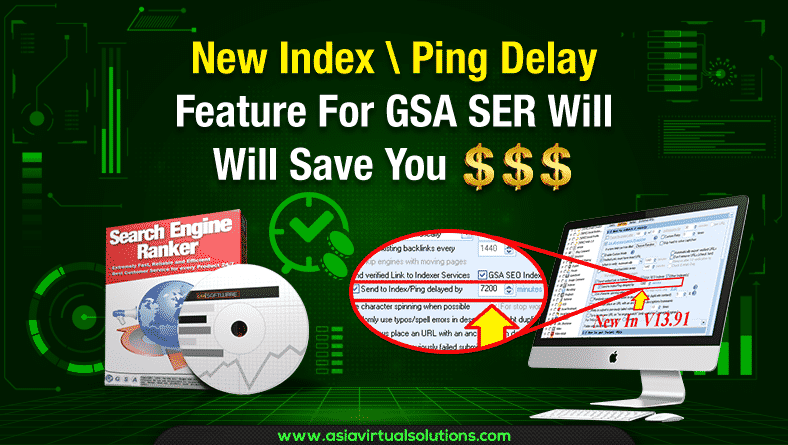
GSA SER کے لیے پنگ ڈیلے فیچر آپ کے پیسے بچائے گا۔
اصلاح اور دیکھ بھال

GSA SER کے لیے نئی انڈیکس \ پنگ ڈیلے فیچر آپ کے پیسے بچائے گا۔

کی طرف سے مائیکل سوارٹ
25 ستمبر، 2019 - 28 فروری، 2026 کو اپ ڈیٹ ہوا۔
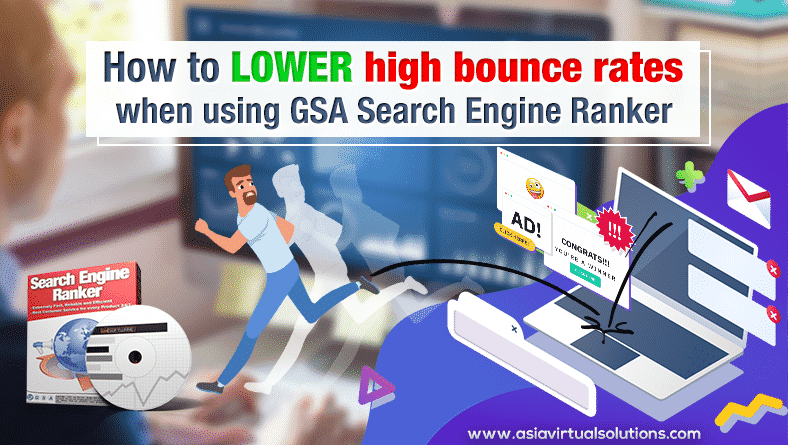
متعلقہ شبیہیں اور گرافکس کے ساتھ "gsa سرچ انجن رینک کا استعمال کرتے وقت اعلی باؤنس ریٹ کو کیسے کم کیا جائے" دکھاتے ہوئے لیپ ٹاپ سے بھاگتے ہوئے ایک شخص کی مثال۔.
اصلاح اور دیکھ بھال

GSA سرچ انجن رینکر استعمال کرتے وقت اعلی باؤنس ریٹ کو کیسے کم کیا جائے۔

کی طرف سے مائیکل سوارٹ
1 اگست، 2019 - 14 فروری، 2026 کو اپ ڈیٹ ہوا۔
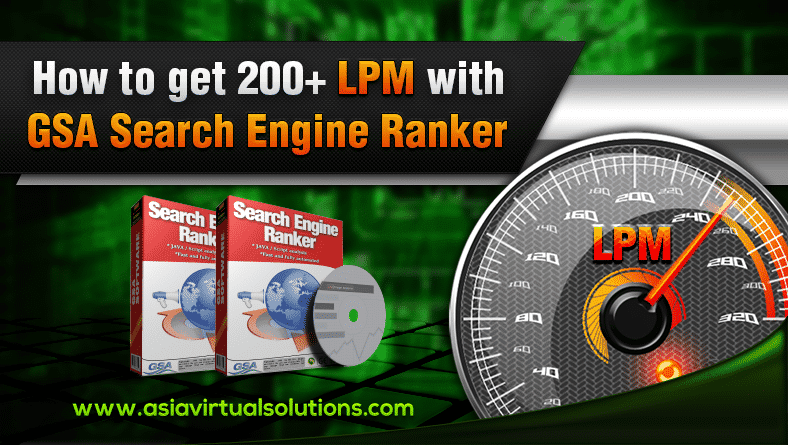
200 ایل پی ایم کیسے حاصل کریں۔
اصلاح اور دیکھ بھال

GSA سرچ انجن رینکر کے ساتھ 200+ LPM کیسے حاصل کریں۔

کی طرف سے مائیکل سوارٹ
7 جون، 2016 - 25 جنوری، 2026 کو اپ ڈیٹ ہوا۔
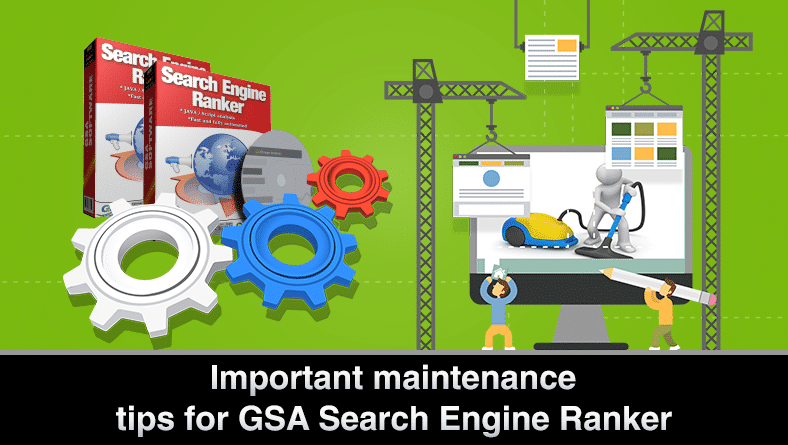
GSA سرچ انجن رینکر کے لیے دیکھ بھال کی تجاویز
اصلاح اور دیکھ بھال

GSA سرچ انجن رینکر کے لیے دیکھ بھال کی تجاویز

کی طرف سے مائیکل سوارٹ
26 مارچ، 2016 - 18 فروری، 2026 کو اپ ڈیٹ ہوا۔
Proxy rotation in GSA Search Engine ranker
اصلاح اور دیکھ بھال

GSA Search Engine Ranker – Updating an external proxy file

کی طرف سے مائیکل سوارٹ
10 اکتوبر, 2014 - Updated on 28 اکتوبر, 2025
اگلی پوسٹ
A screenshot of a computer desktop displaying a webpage for Asia Virtual Solutions with a link list and a video player in the middle of the page.

Asia Virtual Solutions Link List Question in GSA Forum Answered

Please login to join discussion

تجویز کردہ پروڈکٹ

بلاگ زمرہ جات

  • کیپچا حل کرنا
  • مواد کی تخلیق
  • مواد سکریپنگ
  • مواد اسپننگ
  • GSA سرچ انجن رینکر ٹیوٹوریلز اور لنک بلڈنگ گائیڈز
  • GSA کیپچا بریکر
  • ہوسٹنگ اور VPS آپٹیمائزیشن
  • کیسے؟
  • ایشیا ورچوئل سلوشنز نیوز
  • ویب مارکیٹنگ
  • کیسے؟
  • منی روبوٹ ٹیوٹوریلز
  • ایشیا ورچوئل سلوشنز نیوز
  • تجویز کردہ SEO سافٹ ویئر کے جائزے
  • ویڈیو
  • GSA سرچ انجن رینکر ٹیوٹوریلز اور لنک بلڈنگ گائیڈز
  • تجویز کردہ SEO سافٹ ویئر کے جائزے
  • ویب مارکیٹنگ
  • Xrumer اور Xevil تکنیک اور سبق

پروڈکٹ آپ کو درکار ہے۔

حالیہ جائزے

  • ایشیا ورچوئل سلوشنز سوشل بُک مارکس بہتر SEO اور بڑھتی ہوئی ٹریفک کے لیے سوشل بک مارکنگ
    5段階中5の評価
    投稿者: شاشوات استھانا
  • RankerX ای میل پیک RankerX ای میل پیک
    5段階中5の評価
    投稿者: vancuoc29
  • ڈیجیٹل مارکیٹنگ سروس کا اشتہار SEO ٹولز اور خصوصیات جیسے gsa ser پروجیکٹس، نجی ای میلز، اور مطلوبہ الفاظ سے متعلقہ مضامین کی نمائش کرتا ہے۔. GSA سرچ انجن رینکر پروجیکٹس - آپ کے لیے ہو گیا۔
    5段階中5の評価
    投稿者: نک اسمتھ
  • GSA سرچ انجن رینکر VPS GSA سرچ انجن رینکر VPS
    5段階中5の評価
    投稿者: نک اسمتھ
  • GSA سرچ انجن رینکر VPS GSA سرچ انجن رینکر VPS
    5段階中5の評価
    投稿者: مائیک
  • ساختی مواد، DA50+ سائٹس DA50+ سائٹس پر سٹرکچرڈ مواد کے ساتھ ویب 2.0 پوسٹ
    5段階中5の評価
    投稿者: ADE YUSUP
  • ساختی مواد، DA50+ سائٹس DA50+ سائٹس پر سٹرکچرڈ مواد کے ساتھ ویب 2.0 پوسٹ
    5段階中5の評価
    投稿者: جوزف کونروے۔
  • ساختی مواد، DA50+ سائٹس DA50+ سائٹس پر سٹرکچرڈ مواد کے ساتھ ویب 2.0 پوسٹ
    5段階中5の評価
    投稿者: N/AN/A
  • زیول پراکسیز انتہائی تیز ReCaptcha حل کرنے کے لیے XEvil پراکسیز - ووٹ نمبر 1
    5段階中5の評価
    投稿者: ٹالبرٹ ولیمز
  • ڈیجیٹل مارکیٹنگ سروس کا اشتہار SEO ٹولز اور خصوصیات جیسے gsa ser پروجیکٹس، نجی ای میلز، اور مطلوبہ الفاظ سے متعلقہ مضامین کی نمائش کرتا ہے۔. GSA سرچ انجن رینکر پروجیکٹس - آپ کے لیے ہو گیا۔
    5段階中5の評価
    投稿者: سنیل کیشاری

تمام قانونی چیزیں

  • الحاق کا معاہدہ
  • اینٹی سپیم
  • مواصلات کی ترجیحات
  • ڈس کلیمر
  • ڈارٹ کوکی پر ڈبل کلک کریں۔
  • بیرونی روابط کی پالیسی
  • فیس بک کی پالیسی
  • ایف ٹی سی کا بیان
  • رازداری کی پالیسی
  • رقم کی واپسی اور گارنٹی کی پالیسی
  • شرائط و ضوابط
  • تعریفوں کا انکشاف

محفوظ خریداری

گوگل سیو براؤزنگ مصدقہ ہے۔
سفید پس منظر پر نورٹن سیف ویب سائٹ کا لوگو۔.

ہمارے ساتھ رابطے میں رہیں

USA مین آفس
  • ایشیا ورچوئل سلوشنز ایل ایل سی, 400 Rella Blvd, #123-298, Montebello, NY 10901
  •  co*****@******************ns.com
  • +1 (415) 851-6951
  •  ایشیا ورچوئل
  •  LinkedIn پر ایشیا ورچوئل حل
ایشیا ورچوئل آفس
  • ایشیا ورچوئل سلوشنز ایل ایل سی, لیول 29, The Offices at Centralworld 999/9 Rama I Road, Pathumwan, Bangkok, Thailand
  •  co*****@******************ns.com
  • +1 (415) 851-6951
  •  ایشیا ورچوئل
  •  LinkedIn پر ایشیا ورچوئل حل

© 2026 - ایشیا ورچوئل سلوشنز ایل ایل سی۔ جملہ حقوق محفوظ ہیں۔ ویب سائٹ کو آپریٹ اور مینٹین کیا جاتا ہے: Asia Virtual Solutions LLC

کوئی تھمب نیل نہیں۔
اپ لوڈ کیا گیا
ناکام
اپ لوڈ کردہ فائل کو ہٹا دیں۔
کوئی نتیجہ نہیں۔
تمام نتائج دیکھیں
  • گھر
  • GSA سرچ انجن رینکر
    • GSA سرچ انجن رینک کے لیے اکثر پوچھے گئے سوالات
    • GSA SER ٹولز اور ایڈ آنز
    • GSA سرچ انجن رینکر گائیڈز
    • GSA کیپچا بریکر گائیڈ
    • جی ایس اے ہوسٹنگ
  • بلاگ
    • کیپچا حل کرنا
    • مواد کی تخلیق
    • مواد سکریپنگ
    • مواد اسپننگ
    • GSA سرچ انجن رینکر ٹیوٹوریلز اور لنک بلڈنگ گائیڈز
    • VPS ہوسٹنگ سروسز
    • منی روبوٹ ٹیوٹوریلز
    • کیسے؟
    • ایشیا ورچوئل سلوشنز نیوز
    • تجویز کردہ SEO سافٹ ویئر کے جائزے
    • ویب مارکیٹنگ
    • Xrumer اور Xevil تکنیک اور سبق
  • دکان
    • مواد اور AI مضامین
    • GSA SER ٹولز اور ایڈ آنز
    • ہوسٹنگ سروسز
    • لنک بلڈنگ سروسز
    • منی روبوٹ جمع کرنے والا
    • RankerX
    • تجویز کردہ خدمات
    • سوشل میڈیا سروسز
    • ایکسرومر سروسز

© 2026 - ایشیا ورچوئل سلوشنز ایل ایل سی۔ جملہ حقوق محفوظ ہیں۔ ویب سائٹ کو آپریٹ اور مینٹین کیا جاتا ہے: Asia Virtual Solutions LLC

اردو
English বাংলা 简体中文 हिन्दी Bahasa Indonesia 日本語 한국어 Bahasa Melayu Русский Tagalog ไทย Tiếng Việt