


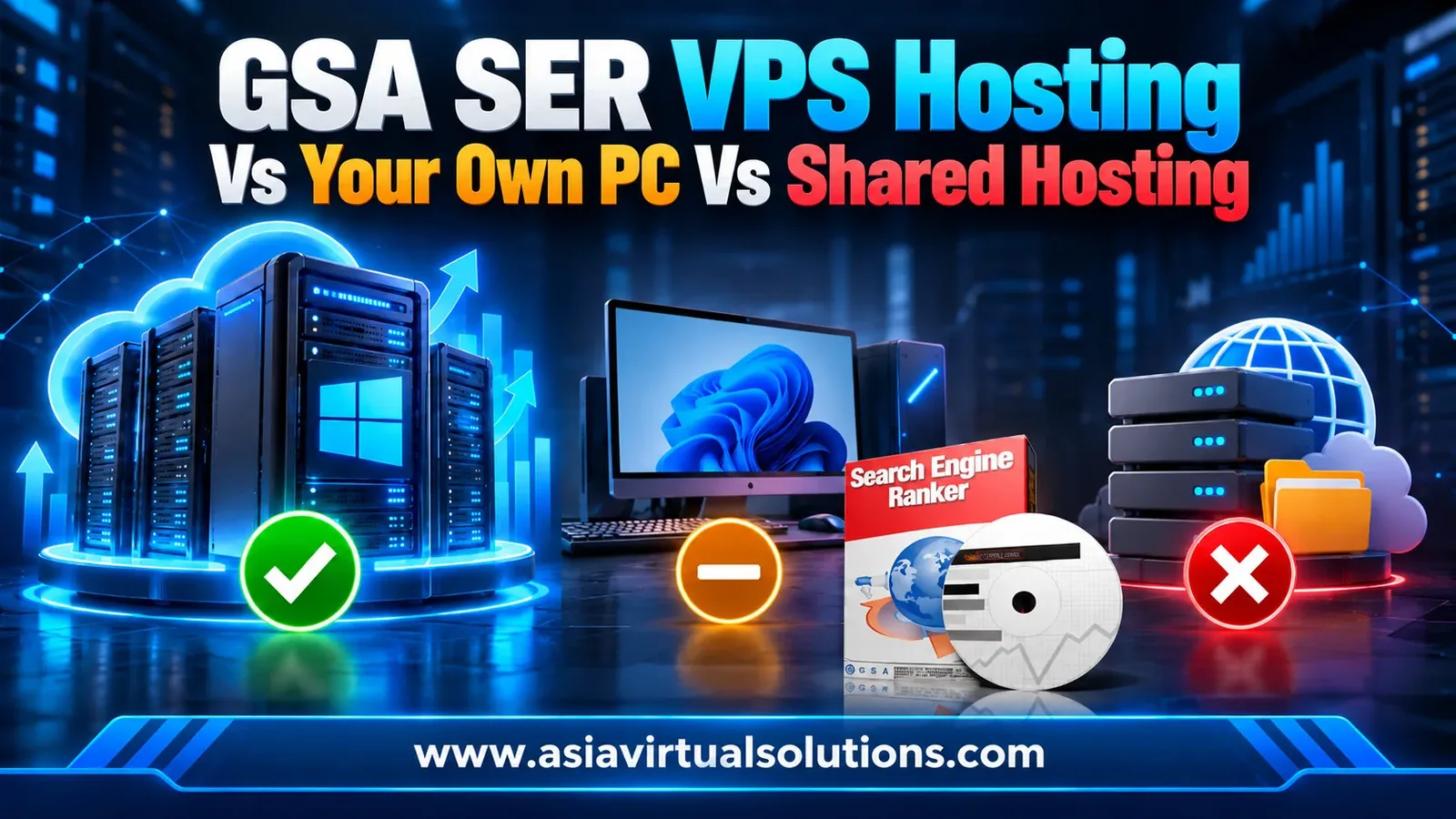
You bought GSA Search Engine Ranker. Now it needs somewhere to run, and the cheapest-looking answer is the shared hosting plan you already pay for.
It will not work there. GSA SER is Windows desktop software, and a shared hosting plan is a folder on someone else’s web server. The real choice is between your own computer, a Windows VPS, and, for very large setups, a dedicated server.
This guide shows why shared hosting is out, what you give up by running GSA SER on your own PC, what a GSA SER VPS should include, and what it costs.
💡 요약하자면
GSA SER cannot run on shared hosting at all. A Windows VPS is the right home for it, because it stays online 24/7 and you get full administrator control.
Your own PC works for testing, but it is the weakest option for a campaign you want to leave running.
- Shared hosting has no desktop, no Remote Desktop and no administrator rights, so Windows software cannot be installed on it.
- Your own PC can run GSA SER, but it stops when you shut it down, lose power or lose your connection.
- A Windows VPS runs around the clock on a dedicated IP, and you control it through Remote Desktop.
- Our GSA SER VPS has 10 CPU cores, 12 GB ECC RAM and 150 GB NVMe storage, built and configured for you from $139 a month.
- Move to a dedicated server only when your VPS shows real strain, not before.
Shared hosting is built to serve web pages. You get a folder, a database, and a control panel, and your files sit on a server that hundreds of other sites also use.
GSA Search Engine Ranker is a different kind of program. It is an application you install on Windows, open on a desktop, and leave running for weeks while it opens hundreds of connections to proxies, CAPTCHA services, and target sites.
- There is no Windows desktop to install it on.
- There is no Remote Desktop access, so you cannot log in and manage it.
- You do not have administrator rights, so you cannot install software or change system settings.
- Most shared hosts stop long-running background processes to protect the other accounts on the same server.
Some hosts will sell you a plan that looks close, but anything that cannot give you a Windows desktop and full admin rights is not a place to run GSA SER. Check this before you pay for anything.
⚖️ Where can you run GSA SER? Four options compared
| 옵션 | Can it run GSA SER? | Runs 24/7? | Your IP address | ~에 가장 적합함 |
|---|---|---|---|---|
| Shared hosting | 아니요 | 해당 사항 없음 | Shared with other sites | Websites, not GSA SER |
| Your own PC or laptop | 예 | Only while it is on and online | Your home connection | Learning and testing |
| Windows VPS | 예 | 예 | A dedicated IP on ours | Almost every GSA SER user |
| Dedicated server | 예 | 예 | Yours | Agency-scale setups |
🔧 Running GSA SER on your own PC
Your own computer is the one cheap option that does work, and it is a fine place to learn the software. Problems show up when you try to run real campaigns on it.
- It stops when your PC does. A restart for updates, a power cut or a dropped connection ends the run, and you lose posting time you cannot get back.
- It uses your own machine. GSA SER takes CPU, memory and network capacity that you need for everything else you do.
- It runs on your home connection. Your home IP does the work, and it can change when your router restarts.
- You cannot leave it alone. Link building pays off over weeks, so a laptop on a desk is a poor fit for the job.
Once you know the software and want results that do not depend on your own computer, move it to a server. Our 9-step GSA SER setup guide covers the settings for whichever machine you choose.
🖥️ What a GSA SER VPS should include
A VPS is a Windows server that only you log in to. You connect over Remote Desktop, install what you like and leave it running. These are the specs that matter for GSA SER, with the figures from our own build.
| What to check | Why it matters for GSA SER | Our GSA SER VPS |
|---|---|---|
| Windows Server | GSA SER only runs on Windows | Windows Server 2022, licensed by us |
| CPU cores | Every thread and project needs processing power | 10개의 코어 |
| 메모리 | Many open connections need RAM | 12GB ECC RAM |
| 저장 | Logs, site lists and project files are written constantly | 150GB NVMe |
| 회로망 | Proxies and captcha services need a fast, uncapped line | 10 Gbps, unlimited bandwidth |
| IP 주소 | Your own address, not shared | 전용 IP 1개 |
| 입장 | You need full control to install and change things | Remote Desktop, full administrator rights |
Everything else in the stack matters just as much. A fast server with no captcha solving, no proxies, and no link list still produces few links. That is why we include them, and why the setup is done for you.

✅ What is included with our GSA SER VPS
- 무제한 보안 문자 해결 for reCAPTCHA, hCaptcha, image and text captchas, connected to our own XEvil servers.
- Premium public proxies, filtered and refreshed every 15 minutes.
- 10 dedicated proxies, replaced with 10 new ones every month.
- The Asia Virtual Solutions link list, updating in real time.
- GSA SEO Indexer and GSA URL Redirect Pro running on our external server, so you need no licence for them and your VPS spends no resources on indexing.
- GSA Search Engine Ranker installed and every setting configured, ready for your licence.
- Your existing projects moved across from your old VPS, if you send us its Remote Desktop details.
Proxy count still matters once you scale up. We suggest one proxy for every 10 threads, and our guide to buying GSA SER proxies explains how to size and choose them.
💰 What a GSA SER VPS costs
Every plan has the same server and the same setup work. The only difference is how far ahead you pay, and paying further ahead lowers the monthly cost.
| 청구 기간 | 가격 | Works out at, per month | 저축 vs 월별 납부 |
|---|---|---|---|
| 1 month | $139.00 | $139.00 | 없음 |
| 3개월 | $396.00 | $132.00 | 5% |
| 6개월 | $771.00 | $128.50 | 7.5% |
| 1년 | $1,500.00 | $125.00 | 10% |
To compare fairly, add up what the same pieces cost bought separately: a server of this size, captcha solving, proxies, a link list, indexing tools, and an experienced person to configure it all. The product page lists each item, and at the minimum prices we show, they come to $772.50.
One cost is not included. You supply your own GSA Search Engine Ranker licence, which is a one-off purchase. We install and configure the software, and you enter your licence when you log in or send it to us with your order. Our GSA SER review covers what the licence costs and who it suits.
🚩 Red flags when choosing a VPS for GSA SER
Any one of these deserves a question before you pay. Two together and you should look elsewhere.
- A Linux-only VPS. GSA SER needs Windows, so you would be paying for a server you cannot use.
- No Remote Desktop or no administrator rights.
- Spinning hard disks instead of NVMe storage.
- Less memory than your thread count needs, or a plan that does not state its RAM.
- A bandwidth cap or “fair use” limit with no number attached.
- Terms of service that ban long-running software, or a host that kills background processes.
- No dedicated IP, so your address is shared with strangers.
- Support that only exists on a contact form.
📈 When to move beyond one VPS
One VPS is enough for most people. Do not upgrade because a bigger machine sounds better. Upgrade when the server tells you it is struggling.
- CPU stays close to 100% during normal runs.
- Memory stays nearly full, and Windows starts swapping to disk.
- You run several heavy GSA SER instances at the same time, or combine GSA SER with other demanding tools on one machine.
A whole dedicated server only makes sense for agency-scale work with several heavy instances. Before you spend more, check your thread count against your proxies and your GSA SER settings, because those are the usual cause of poor output. Our walkthrough on reaching 200+ LPM shows a real VPS setup running at speed.
⚙️ How ordering works
- Choose your billing period and tell us which extra GSA tools you want installed.
- Complete checkout. If you want your projects moved, send us the Remote Desktop details of your current VPS.
- 저희는 서버를 직접 구축하고, Windows Server 2022를 정품 인증한 후, GSA Search Engine Ranker를 설치합니다.
- We configure the proxies, captcha solving, link list, GSA SEO Indexer and GSA URL Redirect Pro, then test everything.
- We email your IP address, administrator username and password. You connect over Remote Desktop, enter your GSA licence and start your projects.
Every server is configured by hand, not by script. Your VPS is normally ready 1 to 6 hours after ordering during our business hours, and within one day outside. We work on Indochina Time, UTC+7.
From $139 a month
Get a GSA SER VPS built and configured for you
Windows Server 2022, captcha solving, proxies and our link list, set up by people who have run GSA SER since 2012.
Get Your GSA SER VPS
❓ 자주 묻는 질문
No. GSA SER is Windows desktop software, and shared hosting gives you a folder on a web server with no desktop, no Remote Desktop, and no administrator rights. You need a Windows VPS, a dedicated server, or your own Windows computer.
Can I run GSA SER on my own computer?
Yes, and it is a good way to learn the software. The limits are that it only runs while your PC is on and online; it uses your own CPU, memory, and home connection, and a restart or power cut ends the run. For campaigns you want to leave alone, use a VPS.
What does a GSA SER VPS include?
Ours has Windows Server 2022, 10 CPU cores, 12 GB ECC RAM, 150 GB NVMe storage, a dedicated IP, and a 10 Gbps connection with unlimited bandwidth. GSA SER is installed and configured, with unlimited CAPTCHA solving, premium public proxies, 10 dedicated proxies, our link list, GSA SEO Indexer, and GSA URL Redirect Pro.
GSA 검색 엔진 순위 도구 라이선스가 필요한가요?
Yes. No software licences are included except Windows Server 2022. You supply your own GSA SER licence, and your own licence for any other GSA product you ask us to install. GSA SEO Indexer and GSA URL Redirect Pro are the exception, because they run on our external server.
설치에는 얼마나 걸리나요?
Usually 1 to 6 hours during business hours, and within one day outside. We activate Windows and configure every piece of software by hand, so it is not instant. If you have not heard from us after 12 hours, send a reminder by email or Telegram.
Can you move my existing GSA SER projects?
Yes. Send us the Remote Desktop IP address, username, and password of your current VPS when you order, and we will move your projects to the new server. Tell us if you want the old installation left running until you have checked that everything arrived.
Do I need a dedicated server instead of a VPS?
Most people do not. Move up only when your VPS shows real strain: CPU near 100% or memory nearly full during normal runs, usually from running several heavy instances at once. Check your threads, proxies, and settings first, because they are the usual cause of poor output.
환불 정책은 어떻게 되나요?
전체 약관은 저희 웹사이트에서 확인하실 수 있습니다. 환불 정책 페이지, and it is worth reading before you order. If something is wrong with the VPS itself, tell us first. Most problems turn out to be configuration issues that we can fix on the spot.






 English
  简体中文
简体中文  Deutsch (Sie)
  Bahasa Indonesia
  Italiano
  日本語
日本語  한국어
한국어  Português do Brasil
  Русский
  Español de México
  ไทย
ไทย  Tiếng Việt
  Türkçe