


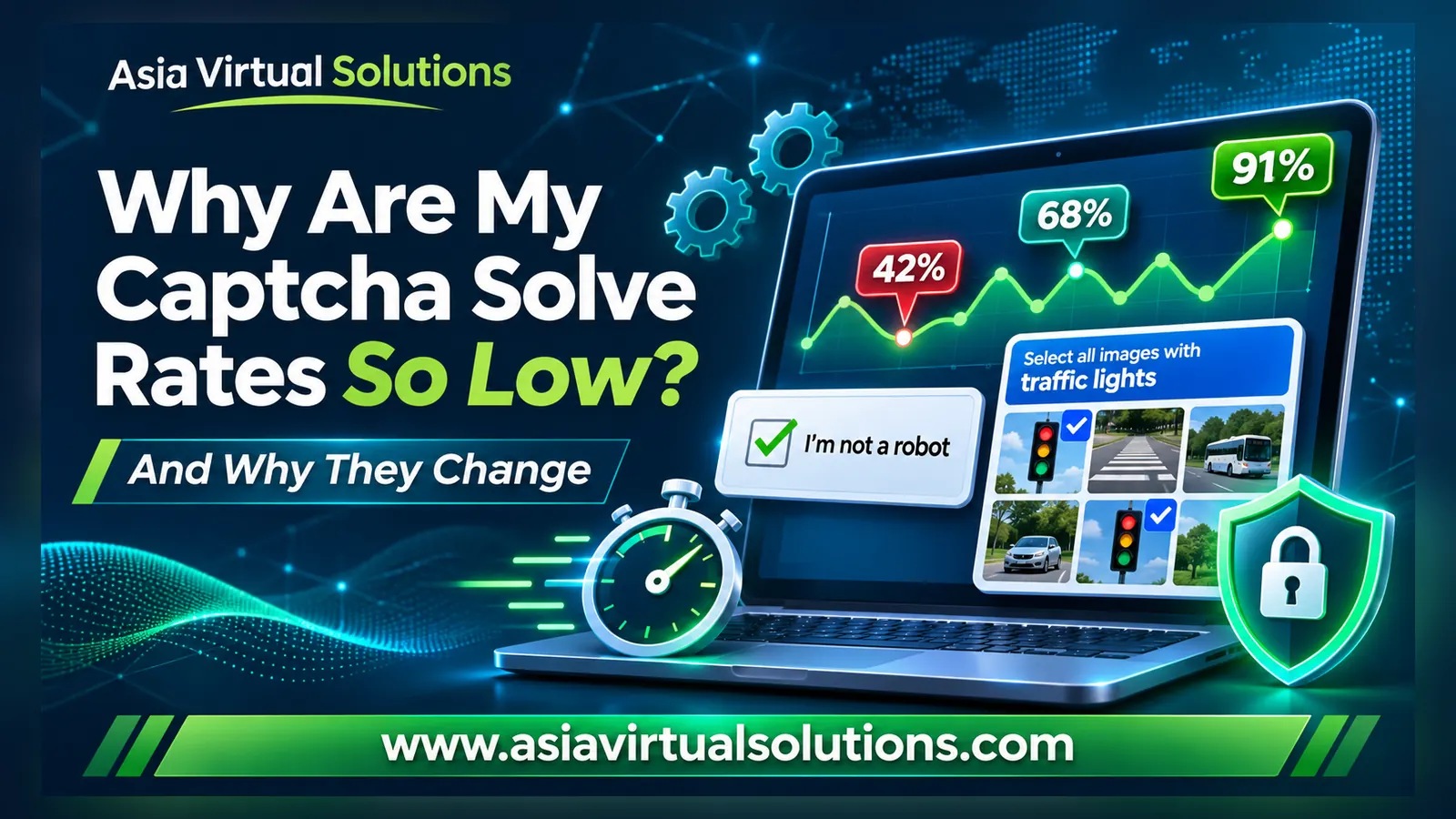
One week your captchas solve well and your link building tool posts fast. The next week, half of your reCAPTCHAs fail, and you start to wonder if something is wrong with your VPS.
Our customers ask us this almost every week: “Why are my captcha solve rates so low?” 或 “Why are my solve rates not consistent?” In this post, we explain in plain English what happens behind the scenes, why some captchas take much longer to solve than others, and what a low solve rate means for your link building in GSA SER, SEO NEO, RankerX, and Backlink Titan.
The short version: captcha solve rates are never fixed. They go up and down because Google and hCaptcha keep changing their captchas, and the solver developers then have to catch up.
🎯 The Short Answer
Your captcha solve rate on any given day depends on three things:
- The captcha type. A simple image captcha is quick and easy. Google reCAPTCHA and hCaptcha are much harder and slower.
- Recent changes by Google and hCaptcha. When they change their captchas, every automated solver in the world struggles until it gets an update.
- Your own setup. The number of threads you run, your captcha timeout, and the solvers you use all affect the result.
The first two are outside your control, and outside ours. The third one you can fix, and we show you how further down.
⚔️ Google vs Captcha Solvers: A Battle That Never Ends
Captchas exist for one reason: to stop software from filling in forms. Automated link building tools fill in forms without a person at the keyboard, so captchas are built to stop exactly this kind of software.
Google and hCaptcha have large teams working on this every day. Captcha solver developers, such as the team behind XEvil, work just as hard to keep up. The result is a cycle that repeats over and over:
- The solver works well and solve rates are high.
- Google or hCaptcha changes something: new images, new puzzle types, or new checks on the browser and IP address.
- Solve rates drop, sometimes overnight.
- The solver developers study the change and release an update.
- Solve rates recover, until the next change.
Google does not announce these changes, and they do not follow a schedule. Some weeks nothing changes. Other weeks there are several changes in a row. This is why solve rates go up and down, and why no captcha provider can promise you a fixed success rate. Anyone who gives you an exact number is guessing.
It also means that when solve rates drop after a change, every user of that solver is affected at the same time. In most cases, the problem is not your VPS, and it is not only you.
🧩 Captcha Types Explained, With Examples
Not all captchas are the same. Some are solved in a moment. Others need more than a minute. Here are the main types your link building tools run into, with an example of each.
1. Image Captchas (Text Captchas)

This is the oldest and simplest type. The site shows a picture of letters and numbers that are bent, blurred, or hidden behind lines, and you type what you see.
The solver only has to read one image and return a short answer. That makes image captchas the fastest and most reliable type to solve. Some sites ask a text question instead, such as “What is 3 + 4?”. We handle those with an AI text solver.
2. Google reCAPTCHA v2: The “I’m Not a Robot” Checkbox

This is the captcha most people know. You tick the “I’m not a robot” box. Before it lets you through, Google checks things like your IP address, your browser, and your cookies.
If Google trusts you, a tick is enough. If it does not, it shows an image challenge, such as “Select all images with traffic lights”. Automated tools almost always get the image challenge, because they do not have the browsing history of a normal person.
3. reCAPTCHA v2 Image Challenges: The Slowest Type

The image challenge is where most of the solving time goes. The solver has to:
- Look at 9 separate images, or one large image cut into 16 squares
- Decide which ones show the object, for example cars, buses, bicycles, or motorcycles
- Click the right tiles, then wait while new images fade in to replace them
- Press Verify, and often solve a second or third round
Google asks for more rounds when it is not sure about the visitor. Each extra round adds more seconds. This is why reCAPTCHA v2 is usually the slowest captcha to solve.
4. Google reCAPTCHA v3: No Puzzle, Only a Score

reCAPTCHA v3 works in the background. There is no box to tick and no images to click. Instead, Google gives every visitor a score between 0.0 (very likely a bot) and 1.0 (very likely a human).
The website owner then decides which score is good enough. Google suggests 0.5 as a starting point, but every site can set its own pass mark (see Google’s reCAPTCHA v3 guide).
This is why v3 results can feel random. The same solved captcha can pass on one site and fail on another site with a stricter pass mark. v3 is usually faster to solve than v2 because there is no picture puzzle, but the result depends a lot on the IP address it was solved from and on each site’s settings.
5. hCaptcha: The Type That Changes Most Often

hCaptcha looks a lot like a reCAPTCHA image challenge, but it uses many more puzzle styles. You may be asked to click each image that contains a boat, click on one part of a picture, drag a piece into place, or pick the image that does not belong.
hCaptcha changes its puzzles often, and each new puzzle style needs a solver update. That usually makes it the least stable captcha type for automated solvers. Expect hCaptcha solve rates to move up and down more than any other type.
Captcha Types at a Glance
| Captcha type | What the solver has to do | Solving speed | How stable |
|---|---|---|---|
| Image / text captcha | Read one image or answer one question | 最快 | Very stable |
| reCAPTCHA v2 | Find objects in 9 images or 16 squares, often over several rounds | 最慢 | Drops after Google changes |
| reCAPTCHA v3 | No puzzle. Get a score high enough for the site’s pass mark | Faster than v2 | Depends on each site’s pass mark |
| 验证码 | Click, label or drag images over several rounds, in many puzzle styles | Slow | Changes most often |
⏱️ Why Some Captchas Take Longer to Solve
On our captcha servers, average solve times range from about 27 to 74 seconds, depending on the captcha type. Here is where that time goes:
- More work per captcha. An image captcha is one picture. A reCAPTCHA v2 challenge can be 9 or 16 pictures, and then another round.
- Extra rounds. When Google or hCaptcha is suspicious, it keeps asking for more rounds. Each round adds time.
- Images that load slowly. Some challenges replace each clicked tile with a new image that fades in slowly. The solver has to wait for it.
- IP checks. Google looks at the IP address the captcha is solved from. A flagged IP gets harder challenges and more rounds. This is why XEvil solves reCAPTCHA through proxies.
- Busy times. When thousands of captchas arrive at the same moment, they wait in a queue. Fast hardware keeps the queue short, but it cannot make Google’s puzzle any shorter.
Why a Slow Solve Can Still Fail
There is one more catch. When a reCAPTCHA is solved, the answer is a “token”. That token is only valid for two minutes, and it can only be used once (see Google’s verification guide). If the solve takes over a minute and your tool then waits too long before it sends the form, the token runs out, and the submission fails, even though the captcha was solved.
So a slow solve is not only slow. It also has a higher chance of failing.
🖥️ How Our Captcha Servers Are Set Up
Captcha solving is included with our GSA SER VPS, SEO NEO VPS, 和 RankerX VPS packages. It runs on two dedicated servers that do nothing else:
- 2 dedicated Hetzner servers, used only for captcha solving
- AMD Ryzen 9 7950X3D 16-core processors at 4.20 GHz
- 128 GB RAM in each server
- 10 Gbps network connection
- The latest XEvil 7 release, updated as soon as a new version comes out
- Tuned for maximum solving speed and connection speed
- Solves image captchas, Google reCAPTCHA v2 and v3, and hCaptcha
Good hardware and fast updates keep our solve times as short as possible. What no hardware can do is stop Google or hCaptcha from changing their captchas. When they do, we install the XEvil update as soon as the developers release it.
Running a different tool on one of our VPS plans? Our 高级验证码解决服务 gives you unlimited solving for a flat fee. It works with any tool that supports XEvil or the major captcha APIs.
🔗 How Captcha Solve Rates Affect Your Link Building
In automated link building, a failed captcha is a lost link. Your tool has already found the site, loaded the page, filled in the form, and maybe written an article. Then the captcha fails, and all that work is thrown away.
A low solve rate hurts your campaigns in four ways:
- Fewer links per day. Fewer solved CAPTCHAs means fewer submissions and fewer verified links.
- Wasted resources. Threads, proxies, emails, and content are used up on submissions that never go through.
- Lost accounts. Many tools create an account first and post later. If the sign-up captcha fails, there is no account and nothing to post to.
- A weaker link profile. Sites that protect their forms with reCAPTCHA or hCaptcha are often active, well-kept sites. Those are the links you want most. If those captchas fail, you are left with mostly easier, lower-quality targets.
GSA 搜索引擎排名器
GSA SER meets captchas on almost every type of target: articles, social bookmarks, forums, wikis, blog comments, and more. When the solve rate drops, you see it straight away: more failed captcha messages in the log, lower submitted and verified counts, and a lower LpM (links per minute).
On Tier 1, every failed captcha costs you a quality link, so this is where a backup solver pays for itself. On lower tiers, you can set GSA SER to skip hard-to-solve captchas, so it does not waste time on them. Our GSA SER VPS comes with captcha solving already connected.
SEO NEO
SEO NEO creates accounts on Web 2.0 and other platforms, then posts your content. Many of these sign-up forms use reCAPTCHA or hCaptcha. A failed captcha means a failed account, and a failed account means no article and no link. Low solve rates make your campaigns run slower and finish with fewer links than planned. Our SEO NEO VPS includes captcha solving.
RankerX
RankerX also creates accounts first, on Web 2.0 blogs, social sites, profiles, and more. Every failed sign-up captcha means another retry and more waiting, and your task finishes with fewer accounts and fewer links. Our RankerX VPS comes with unlimited Google reCAPTCHA solving, already set up.
Backlink Titan
Many of Backlink Titan’s bots work without any captcha solving. For sites that need it, such as high-volume profile backlink campaigns, it supports XEvil, 2Captcha, Anti-Captcha, and CapMonster Cloud. Here, a low solve rate means fewer profile accounts and fewer backlinks in your report. Read more on our Backlink Titan 页。.
💡 What You Can Do About Low CAPTCHA Solve Rates
You cannot stop Google from changing its CAPTCHAs. You can build a setup that keeps working when it does.
- Do not depend on one solver. Use the included automated solver first, and add a paid human captcha service as a backup, mainly for Tier 1. We explain the full setup in our guide: 如何提高GSA SER的验证码破解率.
- Give CAPTCHAs enough time. Check the CAPTCHA timeout in your tool. If it is shorter than the solve time, your tool gives up before the answer comes back. For reCAPTCHA and hCaptcha, allow at least 120 seconds.
- Do not run too many threads. More threads send more captchas at the same moment. They queue up, solve times grow, and more of them time out.
- Running your own XEvil? Give it good proxies. XEvil solves reCAPTCHA through proxies, and Google gives flagged IPs harder challenges. Our XEvil 代理 are made for this.
- Judge your solve rate over a week, not an hour. Rates move up and down from day to day. A weekly view shows you the real picture.
- Tell us when it drops suddenly. If your solve rate falls close to zero, 联系我们. We check our servers straight away, and if Google or hCaptcha made a change, we install the XEvil update as soon as it is out.
❓ 常见问题解答
What captcha solve rate should I expect?
We do not give a fixed number, because it changes every time Google or hCaptcha updates their captchas. Image captchas solve very reliably. Google reCAPTCHA and hCaptcha move up and down with each change and each solver update. The best way to judge your solve rate is to look at a full week of results, not a single hour.
Why was my solve rate high last week and low today?
Most likely Google or hCaptcha changed their CAPTCHA. When that happens, every automated solver is affected at the same time, not only yours. Solve rates recover once the solver developers release an update, and we install new XEvil versions on our captcha servers as soon as they are available. In the meantime, a backup solver keeps your Tier 1 campaigns moving.
Is a low solve rate a problem with my VPS?
Usually not. First, check your own settings: the number of threads, your CAPTCHA timeout, and which solvers your tool uses. If those are fine and only reCAPTCHA or hCaptcha are failing, a captcha change is the most likely cause. If your solve rate drops close to zero, contact us, and we will check our captcha servers straight away.
Why does reCAPTCHA v3 fail even when the captcha was solved?
Because each website sets its own pass mark. reCAPTCHA v3 has no puzzle. Google gives a score between 0.0 and 1.0, and the site decides which score is good enough. A score that passes on one site can fail on a stricter one. This is normal for v3, and it is the main reason its results look less consistent.
Why do some captchas take over a minute to solve?
Because some captchas need much more work. An image captcha is one picture, so it solves fast. A reCAPTCHA v2 or hCaptcha challenge can mean 9 or 16 images, new images fading in, and several rounds. On our servers, average solve times range from about 27 to 74 seconds, depending on the captcha type.
Should I add a paid human captcha service?
Yes, for your most important campaigns. Automated solvers are fast and come with our VPS packages, but their success rate moves with every Google change. A paid human service as a backup catches the captchas the automated solver misses. We suggest using it mainly on Tier 1, where every link counts. Our captcha guide explains the full setup.
Which tools can use your captcha solving?
Captcha solving is included with our GSA SER VPS, SEO NEO VPS, and RankerX VPS packages. Our Premium Captcha Solving Service, available to our VPS customers, works with any tool that supports XEvil or the major captcha APIs. That includes Backlink Titan, which supports XEvil.
✅ Final Takeaway
In most cases, low or changing captcha solve rates are not a fault in your tool or your VPS. They come from the constant race between Google, hCaptcha, and the solver developers. Image captchas stay fast and reliable. reCAPTCHA and hCaptcha will always move up and down.
The smart answer is redundancy: a fast automated solver on strong hardware, a paid backup for your Tier 1, and sensible thread and timeout settings. Then a Google change slows you down a little, instead of stopping your link building.
Captcha Solving Included
Get a VPS With Captcha Solving Already Set Up
GSA SER, SEO NEO and RankerX VPS packages, built and tested by hand.
See Our VPS Packages








 English
 简体中文
 Deutsch (Sie)
 Bahasa Indonesia
 Italiano
 日本語
 한국어
 Português do Brasil
 Русский
 Español de México
 ไทย
 Tiếng Việt
 Türkçe