GSA 검색 엔진 랭커의 유지 관리 팁
GSA Search Engine Ranker is one of the best automated “all in one” link build tools available for web marketers, but unfortunately, it does not do an excellent job of cleaning up after itself. Therefore, you must clean up after your GSA Search Engine Ranker to ensure your hard disk does not get bloated and to ensure your GSA SER is running optimally. The following are some essential maintenance tips for GSA Search Engine Ranker that you should try and perform at least once a week.
- Global Link List
- Ping Sites
- Project Target URLs
- Unused Dead Project Accounts
- Project Verified URLs
Global Link List
If you are using a paid list that is shared via Dropbox, you can skip this section, as all paid link lists shared via Dropbox are usually read-only, so you won't be able to change it.
그리고 global site list is the first section under the advance tab. This is where you usually import a new list that you have scraped or maybe a list that you have purchased. Also, if you have checked a checkbox next to each option, then GSA will continuously add to the list when you make a post or when it verifies links, heck it even writes to the failed list if you have that checked.
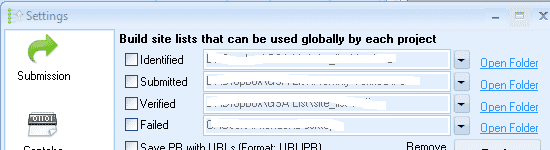
Why You want to clean the Global site list
This list will get messy over time because GSA 검색 엔진 랭커 does not check if a link is already in the list. Instead, it just keeps adding and adding to the list, and the result is that your hard drive is going to get full very quickly, and even worse is that GSA Search Engine Ranker is going to slow down because now the list is so full of duplicates it has to work harder to look for new links.
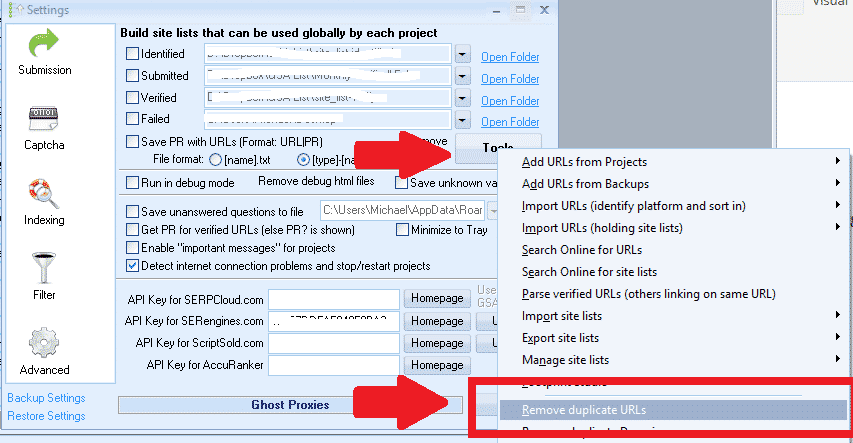
Clean up the Global Site List is simple; please follow these steps:
- Go to Settings
- Click on The Advance Tab
- Click on Tools
- Scroll down and select: Remove Duplicate URLs
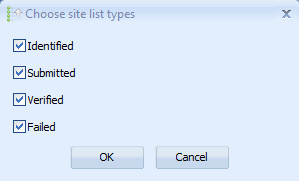
- A pop-up will show asking you which list to clean: Select them all
Ping Sites
Not many people use ping sites because they prefer paid indexers. Still, if you do make use of pinging, you must remove the ones that keep failing, as it will slow down your site and increase resource usage if GSA Search Engine Ranker continuously tries to ping a ping site which is dead or doesn't work.
Fortunately, cleaning out the dead ones is easy, as GSA 검색 엔진 랭커 gives us some help here. Just make sure you do it BEFORE updating or restarting h=GSA SER because if you don't, GSA ser will reset the stats, and you won't know which ones are the ones failing, and you will need to rerun it for some time.
Clean up the Ping Sites is simple; please follow these steps:
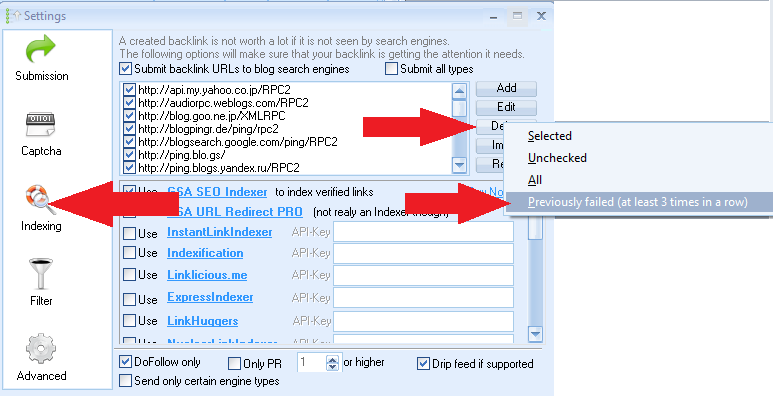
- Go to the 인덱싱 섹션
- Click on Delete
- Select: Previously failed ( at least three times in a row)
Project Target URLs
Project target URLs are one of the biggest troublemakers regarding duplicates and quickly filling up your hard drive. You might wonder what these URLs are and where they come from.
In short, target URLs that have been added to your project either by yourself (imported) or by GSA Search Engine ranker; if you have selected to look for more URLs or if you are using the search engine option to scrape for targets then those links are the saved in your project as target URLs. That is all great, but unfortunately, GSA SER does not do a good job here because it just keeps adding and adding to the list without first checking if the link is not maybe already on the list.
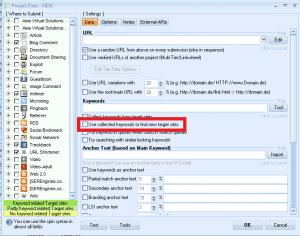
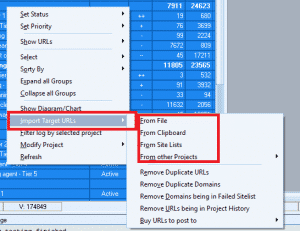
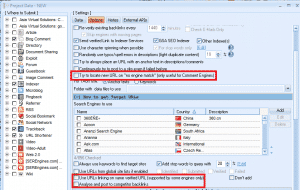
The below images are filters that cause the list to grow.
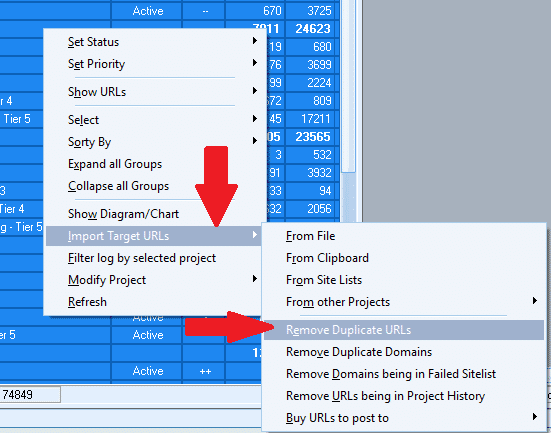
Clean up the Target URLs is simple; please follow these steps:
- Highlight all of your projects.
- Right-click anywhere in the project window.
- Select: Import Target URLs
- Then scroll to: Remove Duplicate URLs
- Wait for it to finish. If you have many projects, this could take a while, so maybe start it before you go to lunch or overnight.
- When completed, it will show you how many duplicates were removed.
Unused Dead Project Accounts
When you run a GSA Search Engine Ranker project, it is all the time trying to create accounts on the platforms you have selected. When it creates an account, GSA Search Engine Ranker saves all information with the account, such as login details, the email used, the date created, etc. Unfortunately, over time, some of these accounts stopped working for various reasons, such as the account not getting verified, the account is terminated by the owner, the site not existing, or some other reason. Unfortunately, when the accounts no longer work, that information it saved sits there, taking up space, and it also slows down your submissions as GSA Search Engine Ranker will continue to try and post to these dead accounts.
The good news is that GSA 검색 엔진 랭커 can tell you which accounts are dead and unused, but you have to instruct GSA SER to remove the dead unused accounts.
Removing the dead and unused accounts will speed up your submissions and slightly reduce the space used.
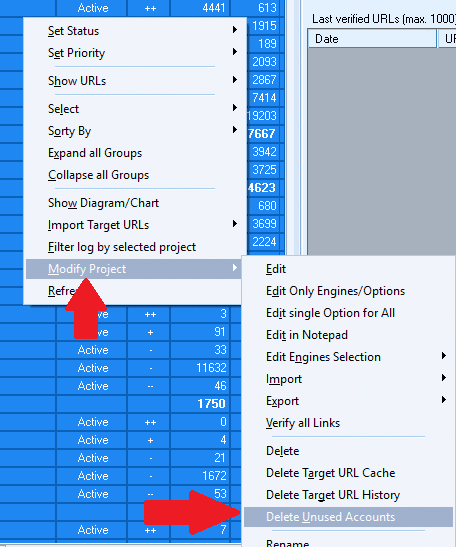
Clean up the dead and unused project accounts is simple; please follow these steps:
- Highlight all of your projects
- Right-click anywhere in the project window
- Select: Modify Projects
- Then scroll to Delete Unused Accounts
- Wait for it to finish; it will take a couple of minutes, pending how many projects you have
- When completed, it will show you how many dead unused accounts were removed
Project Verified URLs
Project Verified URLs are the URLs that GSA 검색 엔진 랭커 has created and which it at some point has verified. Unfortunately, over time some links will be moderated, and the site owners will have removed the links that GSA SER has to build for you or various reasons. The link is no longer available. Still, GSA SER has not rechecked it to see if it is no longer verified.
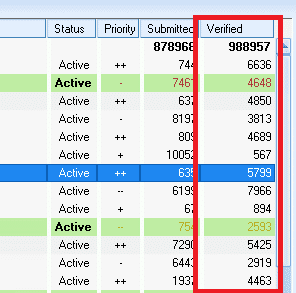
Dead verified links are terrible for you, especially if you are building tiered projects because you will be wasting your time and resources building links to verified links which are dead, a total waste of time.
One way to ensure your project's links are all still verified is to do a force recheck of the URLs. Please note that if you have many projects, this can take some time, so I suggest starting the check before going to bed and letting it run until completed. The benefit of rechecking your verified links is that you will get better results, as your lower tiers will only be building inks to verified links which are still working.
To clean it up and re-verified links is relatively simple; please follow these steps:

- Highlight all of your projects
- Right-click anywhere in the project window
- Select: Show URLs
- Then scroll to and select: Verified (It will take some time to load all of the URLs ( be patient))
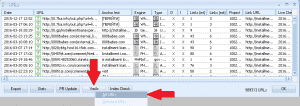
- Once loaded, select: Verify and then All URLs
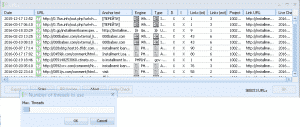
- Next, Select the Number of Threads (Select as many as you can, usually the same amount at which you run your GSA Ser ).
- It will now start, and you can see the progress bar. Pending how many links you have to check, this can typically take a long time, so best to do it overnight.
- Once completed, it will pop up and show you an option: Remove Unsuccessful Verification – I usually select to remove both failed and time-out verification.

Important maintenance tips for GSA Search Engine Ranker – Conclusion
Performing these maintenance steps at least once a week will ensure you don't use unnecessary hard disk space. Most importantly, you will ensure that your GSA 검색 엔진 랭커 runs smoothly and is not bogged down with out-of-memory issues, dead and duplicate URLs or accounts.
Let me know if you need any clarification on the above steps.