How to update XEvil Beta and receive update notifications via email for Xrumer and XEvil
I have noticed that many GSAサーチエンジンランカー users have started to use the captcha solver from エクスルマー for solving of captchas in GSA SER. We have also noticed that Botmaster seldom if ever sends out emails to users who sign up on the English エクスルマー site, informing you when there are updated and what has been updated.
So I have decided to make a this quick post and a walk thru video showing you how to update your XEvil Beta version to the latest Beta version, and then i will also explain to you how you can sign up to the Russian forum of Xrumer and get all in English, including update notifications.
[sociallocker]
How to update XEvil Beta and receive update notifications via email for Xrumer and XEvil
[/sociallocker]
How to get the update XEvil Beta update patch.
I will show you where to find your current XEvil Beta version number and then also where to download the latest XEvil Beta patch version.
Where to see your current XEvil Beta Version number.
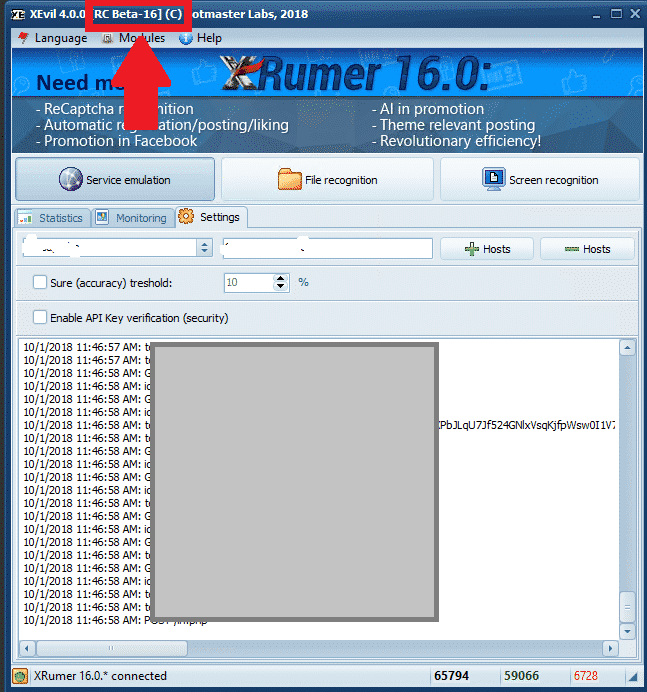
その Xevil Beta Version number can be seen at the top left of the application window, as shown in the screenshot below. In the Below screenshot the XEvil Beta version is [Beta 16]
[spacer height=”2px”]] 。
Where to download the latest XEvil Beta patch version.
To download any of the エクスルマー, XEvil, Hrefer and there related plugins you will need to login to your account at : http://www.botmasterlabs.net
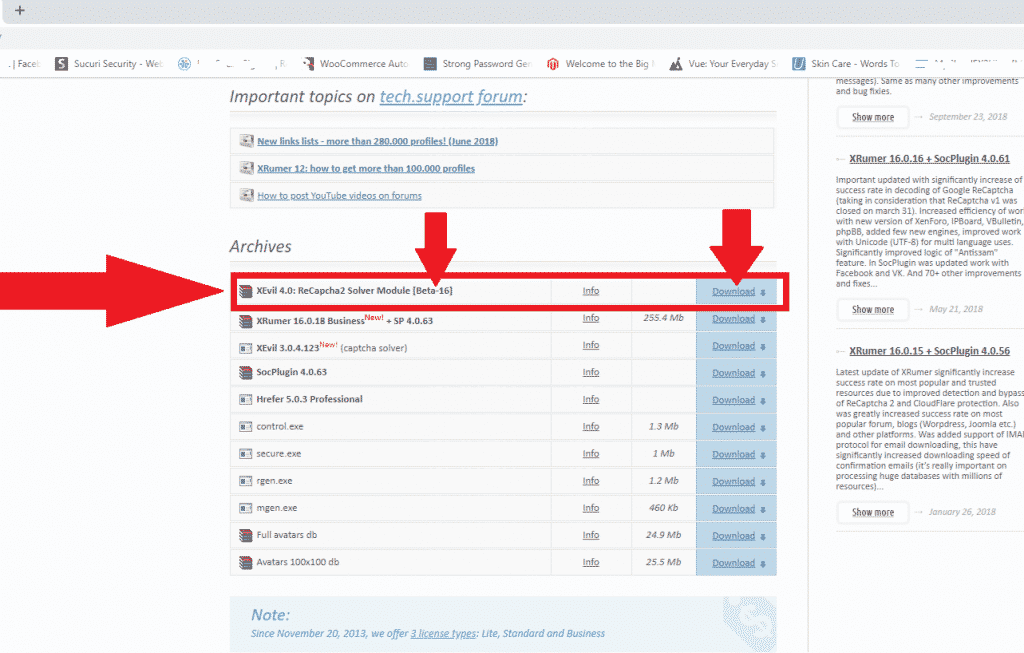
If you are signed up for the XEvil beta program then you will see the XEvil download at the top of the list of downloads and the Beta version will be indicated, as you can see in the below screenshot.
How to extract the downloaded XEvil Beta patch.
OK, so you have now downloaded the latest XEvil Beta patch and it is now in the downloads folder of your computer or ブイピーエス
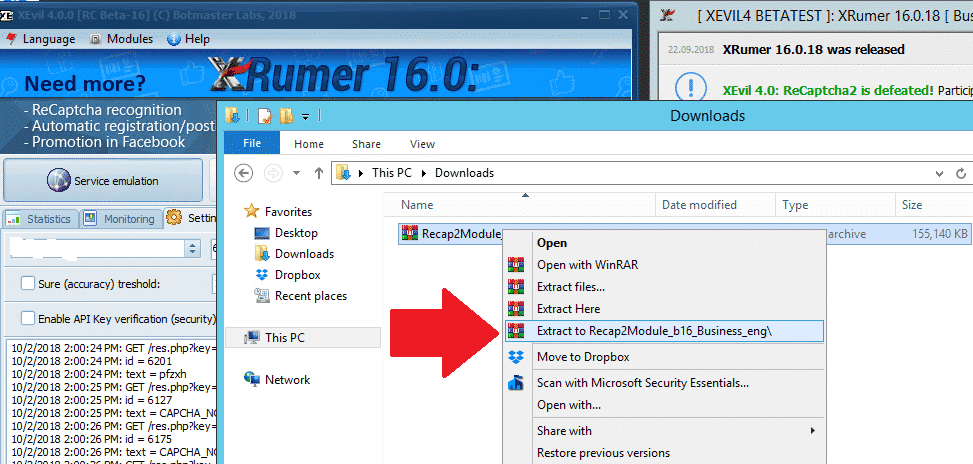
The downloaded patch will be in .rar format, if you do not have anything to unzip it with then you can download a free winrar copy from here : https://www.win-rar.com
[full_width][one_half padding=”0 0 10px 0″]Your Downloaded patch
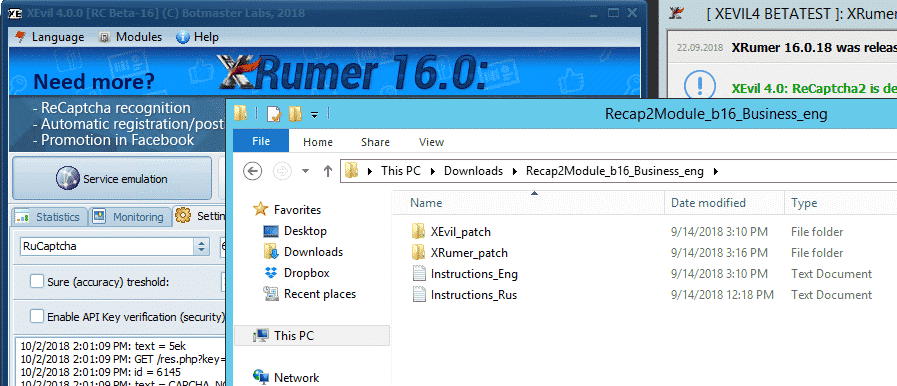
[/one_half][one_half padding=”0 0 0 10px”]Your Extracted XEvil Beta Patch
[one_half][/full_width]。
[spacer height=”2px”]] 。
How to apply the XEvil Beta update patch.
Now that we have extracted the update .rar file all we need to do is copy it to the existing program files. Please note that to update XEvil Beta to latest version you have to patch both XEvil as well as Xrumer, that is then why there is a エクスルマー and a XEvil folder in the downloaded update.
First thing to do now is to close Xrumer and XEvil if they are running, then follow the below simple steps.
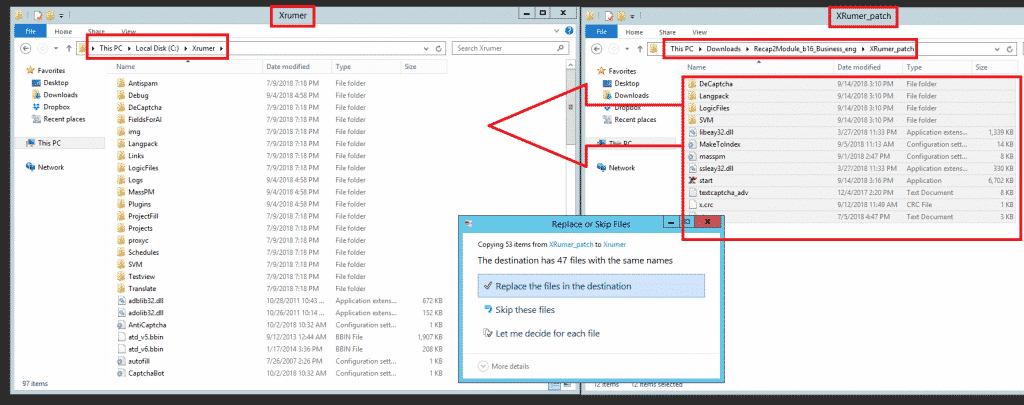
On your computer VPS in a new window open the エクスルマー Program folder : C:Xrumer and also open the the Xrumer patch that you have just downloaded C:UsersAdministratorDownloadsRecap2Module_b16_Business_engXRumer_patch .
Now select all the files and folders in C:UsersAdministratorDownloadsRecap2Module_b16_Business_engXRumer_patch and copy it and then paste it in C:Xrumer – You will receive a warning that the files already exist, just select to replace all the files.
Next we will need to also apply the XEvil beta patch, to do so now select all the files and folders in C:UsersAdministratorDownloadsRecap2Module_b16_Business_engXEvil_patch and copy it and then paste it in C:Xevil – You will receive a warning that the files already exist, just select to replace all the files, as shown in the below screenshot.
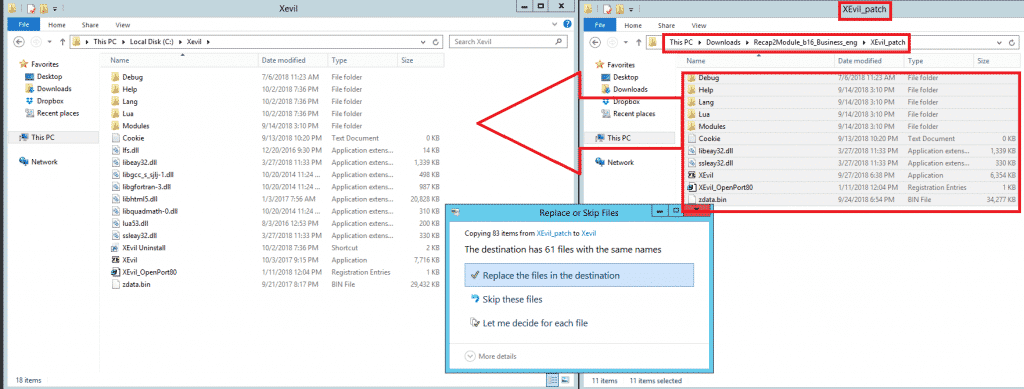
And that my friends is how you apply the updates for XEvil beta.
[spacer height=”2px”]] 。
How to receive email notifications from Botmasterlabs when they push updates.
To get support for Xrumer, XEvil, ヘレファー and all the other stuff from Botmasterlabs, you need to sign up to their English support forum at http://en.botmastersupport.com/, but i have learned over the past 10 years that the English support forum is not very active at all, and it is pretty much useless if you need info and help.
I found that the Botmasterlabs Russian support forum are 100 times more active and updates are posted over there first and then later after they had time to translate some it will gets posted on the English forum. The Russian Forum also send out an email when there products get updated.
By now I know you will be thinking WTF – I cant read Russian, but do not worry, neither do I, but i am going to show you how to make the Russian Forum English. You will need the following items:
- Google Chrome ( Have not tried it with Firefox or any other browsers, might work, give it a try )
- Google Translate Extension for Chrome
Download Google Translate
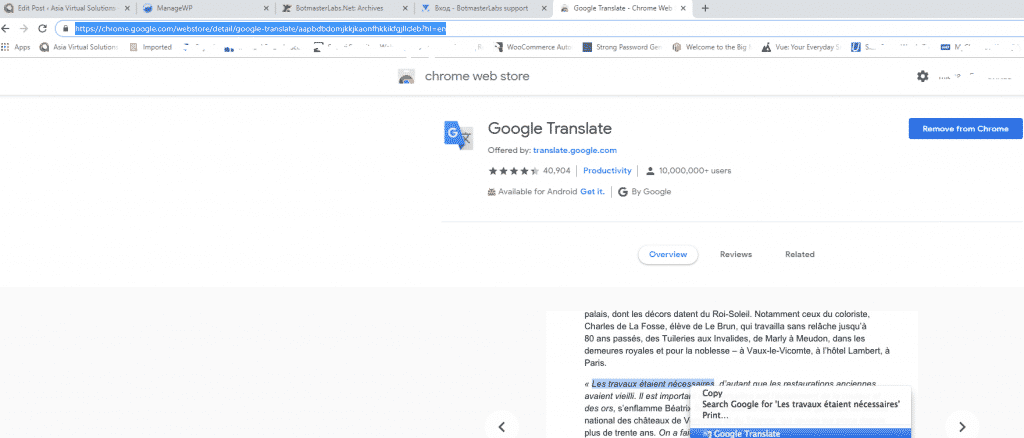
If you already have Google Chrome then open the extensions or go to the Chrome web store and search for Google Translate – https://chrome.google.com/webstore/detail/google-translate/aapbdbdomjkkjkaonfhkkikfgjllcleb?hl=en and add the extension.
Creating account on the Botmasterlabs Russian forum ( in English )
Once you have added the Google translate extension, you should browse over to the Botmasterlabs Russian support forum, which is over here : http://ru.botmastersupport.com/ Unfortunately and as it should be expected everything will be in Russian. All you need to do is: anywhere on the page right click and select “TRANSLATE TO ENGLISH”
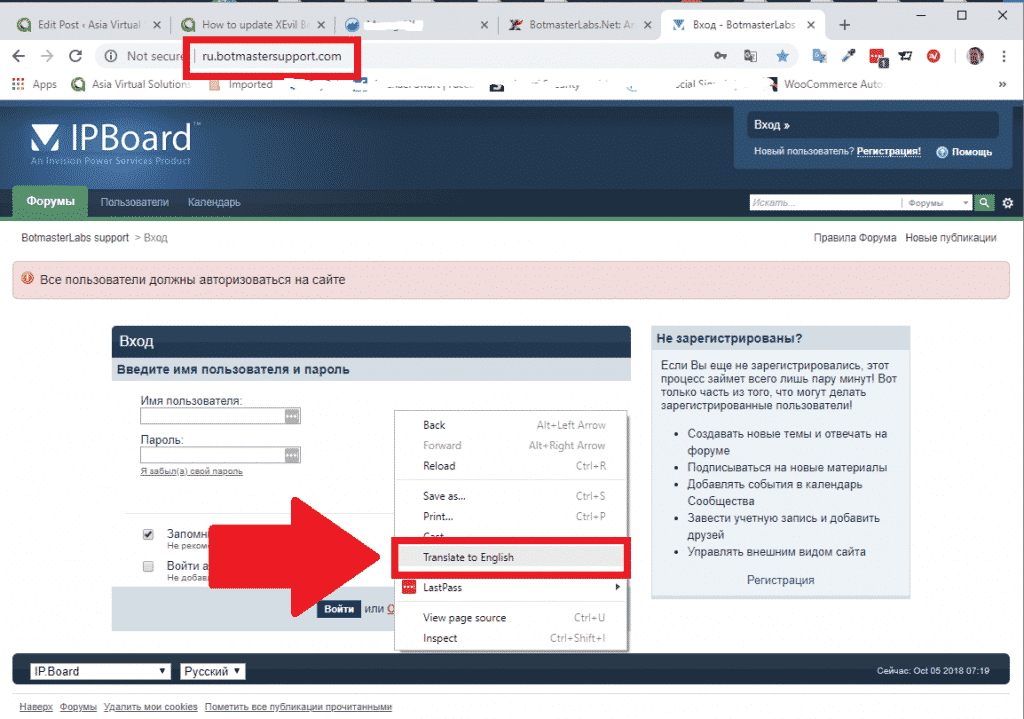
It will be instantly translated and all the text will be in English and you can easily see where to register for a new forum account.
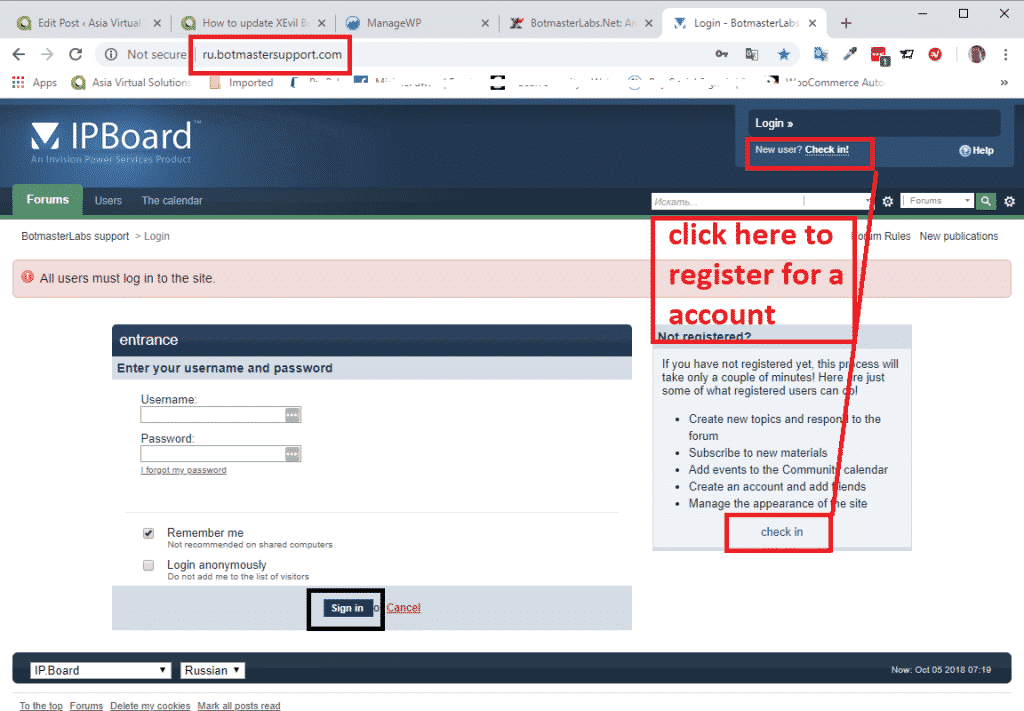
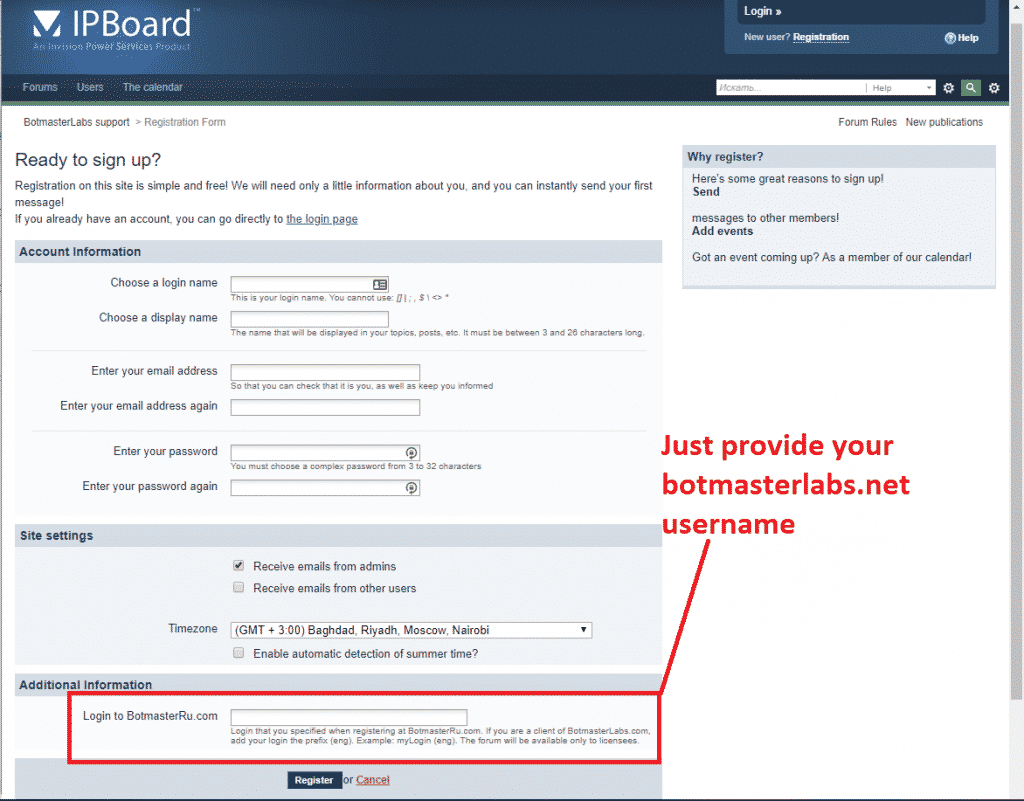
From here onward just follow the instructions to create a new account.
At the bottom of the page it will ask for your Login to BotmasterRu.com, here just enter your Botmasterlabs account username – the one where you download Xrumer and all the other software.
Once you have registered send your username you registered with to Botmaster via Skype, and tell him you registered on the Russian Forum, and ask him to please activate your forum account.
That is it you are now registered.
[spacer height=”2px”]] 。
How to read the Russian language emails from the Russian Botmaster forum.
When you registered for the Russian Botmaster forum and enabled the option to receive email updates, those emails will be in Russian language. But again not a problem we can translate them right inside Microsoft Outlook. If you use any other email client then you will need to find a translate that plugs in to your email client.
Microsoft Outlook Users follow these steps:
Open Microsoft App store, and search for Microsoft Translator.
- Select the one in the screenshot below.
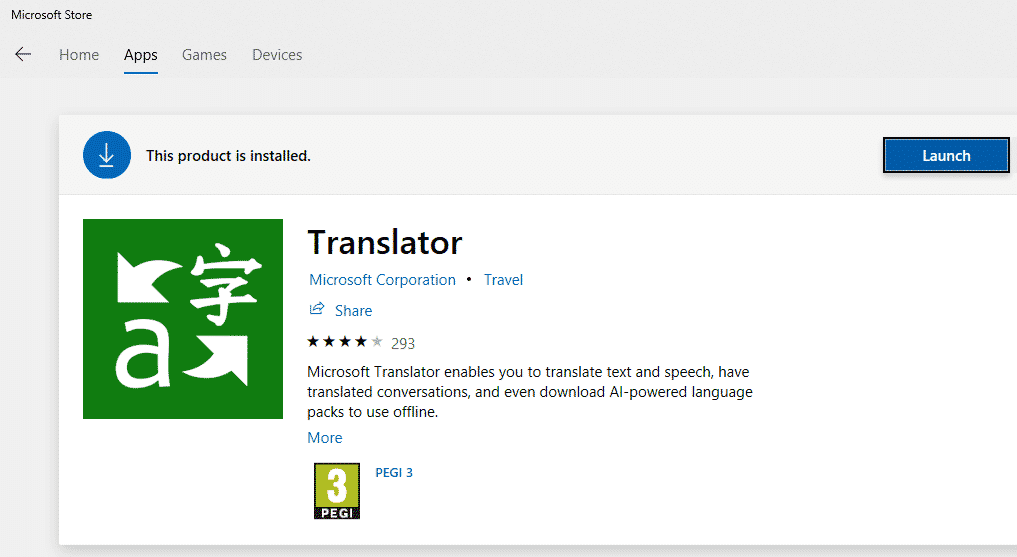
- Proceed install the app.
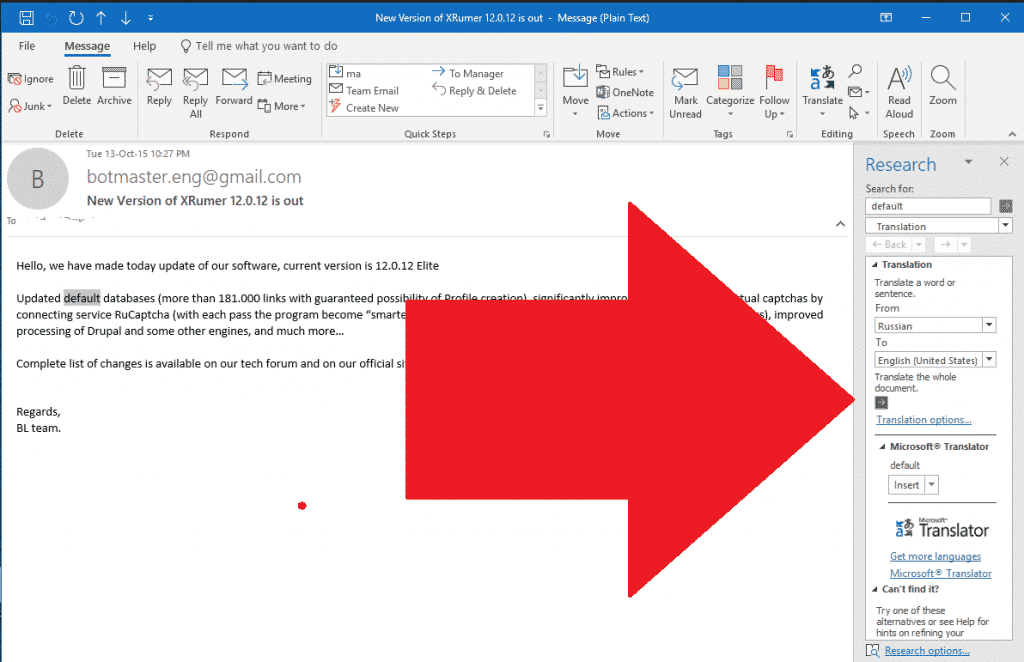
- Now when you receive an email that is in another language, all you need to do is open the email and then right click anywhere in the email, or click the translate at the top of the emails, like in the below screenshot. ( sorry i do not have a email in Russian on the moment ).
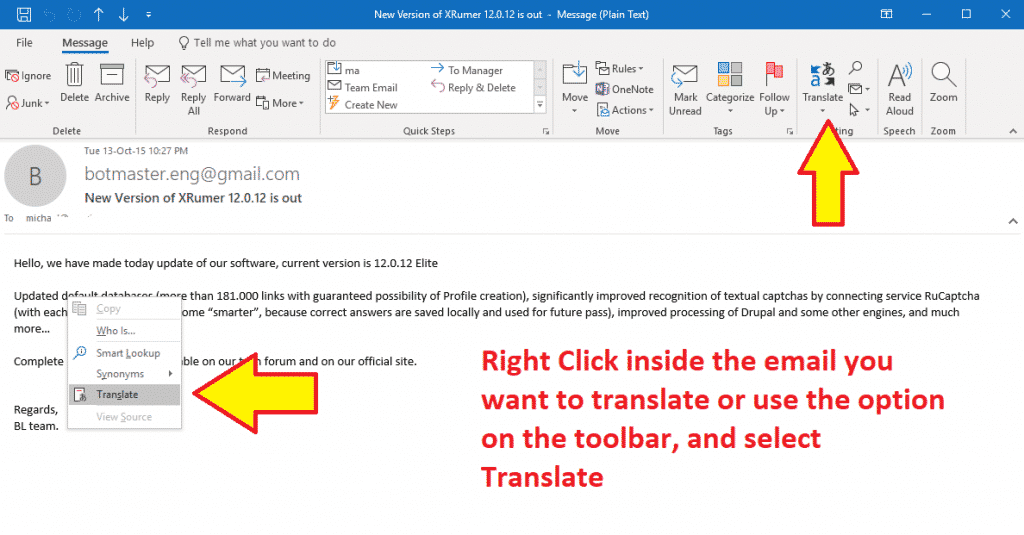
- You will see the language to translate to and from show in the sidebar, make your selections and click the green buttons, and your text will be translated to your selected Augean.
Well that is all there is folk there is to updating your Xevil Beta and to translate the notification emails from Russian to English. Please drop a note in the comments if you have any questions.
[spacer height=”2px”]] 。
DONT HAVE XEVIL YET?
Xevil is part of the package when you purchase Xrumer, purchase it thru our discounted link today