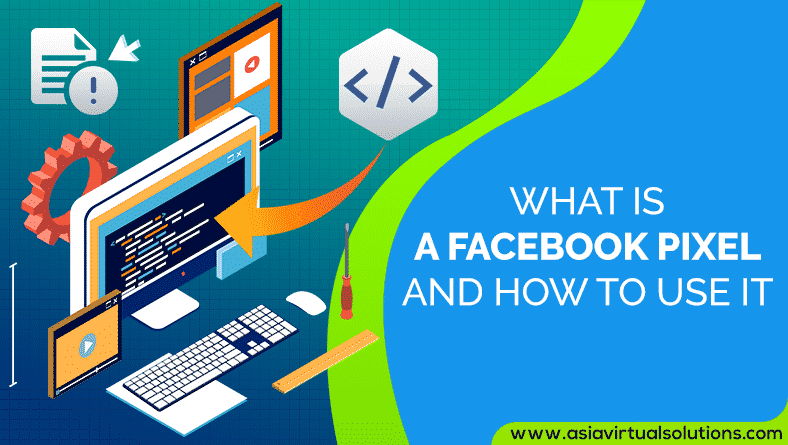
Tucked behind websites all around the internet, the Facebook Pixel is closely watching what we do online. Whether its adding products on a shopping cart or reading up politics, the Pixel keeps tabs for future references, or, for future advertising.
In this post, we’ll take a closer look at Facebook Pixel – we’ll go over what it is, what it’s used for, how you can create one, and then how you can use it on your site.
[스페이서 높이=”2px”]
What is Facebook Pixel
Facebook Pixel is a code that’s usually embedded into a website that links the onsite behaviour of visitors to Facebook user profiles. Syncing the website visitor to their Facebook account ideally allows the social media platform to display adverts based on the actions that the users took on other domains/sites.
Although Facebook Pixel is actually used to understand the behaviour of people on different sites, it uses the data to categorise the users into different target groups, which will be engaged with relevant ads later on. So, in summary, the Facebook Pixel:
- Is a code that lives inside websites
- Monitors the actions of people while they’re there
- Allows advertisers to target them on Facebook
The Facebook Pixel can also be viewed as an analytics tool that measures how effective your Facebook advertising is. When you install it on your site, you can accurately gauge the performance of your ads as the Pixel can track each and every interaction a visitor has had with your site once they click on an ad.
When a user clicks through to your site via an ad and performs an action, such as making a purchase, your Pixel will trigger and then report this action in the Ads Manager. This will let you see if they actually completed the desired outcome of the ad like filling in a landing page or buying a product.
The Facebook Pixel ideally gives you a greater insight into your digital marketing strategy as it measures the conversion rate of your ad, not just the click-through-rate. This ideally gives you another layer of analytics, which paints a clearer picture of your visitor’s journey from seeing the ad to making a purchase. For example, if the click through rate of one of your ads is high but the conversion rate is low, then perhaps your landing page and your ad creative are not aligned properly.
[스페이서 높이=”2px”]
A Closer Look at the Facebook Pixel
The Facebook Pixel lets you run highly targeted ad campaigns, and it’s important to install it before you start running Facebook ads. Every ad account is awarded one pixel to use. The code is ideally made up of two parts: the event code and the pixel base code.
The pixel code is meant to track all the traffic that comes to your site, while the event codes are extra pieces of code that you can add to the default pixel code onto specific pages of your site to track various actions on those pages.
Here are a few types of event codes that you can add:
- Add to cart: You can include this event code on the add to cart page of your site. When a visitor places items in their shopping cart but don’t complete the purchase, the pixel data can be used to run highly targeted ads to such a visitor.
- Search: if you’re running an eCommerce site, you can place a search event code on a search results page of your website for specific keywords, phrases, or terms.
- View content: You can put the view content event code on a product page to monitor things like the total views of a given piece of content.
- Add payment info: This will be triggered when a user submits their payment information
- Add to Wish-list: This can be used to track what products users want most and then targeting them with FB ads containing images of those items
- Purchase: You can put a purchase event code on a thank you page once a user has completed a purchase. This way, when you release a new product or update, you can design an ad for existing customers.
- Complete registration: this can help you track user registrations to events, webinars, etc.
- Lead: the lead event code can be placed on a thank you page once the user has signed up for a newsletter or opted into a lead magnet.
- Custom: a great advantage of the Facebook pixel is that it can be customised to meet specific objectives. When you create a custom event code, you’ll have to create an accompanying custom conversion
The different pixel event will let you collect data and help you create effective Facebook ads and learn more about the users who are interacting with your site.
[스페이서 높이=”2px”]
How to Create a Facebook Pixel
Now that you know what to expect from Facebook pixel, it’s time to create your own pixel and put it into your own website. This is how you do it:
- Go to your Facebook Ads Manager, click on the hamburger icon, and choose Pixels
- You’ll see the Facebook pixel create page. Click on the “Create a Pixel” button
- Give your pixel a name, accept the terms, and click next. Keep in mind that when choosing a name for your pixel, you’ll only get one pixel for each ad account, meaning that the name should ideally represent your business and not a specific campaign.
- You’ll then see a success message when you create a pixel successfully.

[스페이서 높이=”2px”]
How to Install Facebook Pixel on your Website
Now, it’s time to put the pixel to work to collect information on your website. For this, you need to install the code on your webpages. Depending on your website and CMS platforms, there are a number of ways to do this.
Fortunately, Facebook has made it thoroughly simple to install the pixel. Once you finish creating your pixel, you’ll automatically be given multiple ways to install your pixel.
[full_width][one_third]
Method 1: Using Shopify Integration
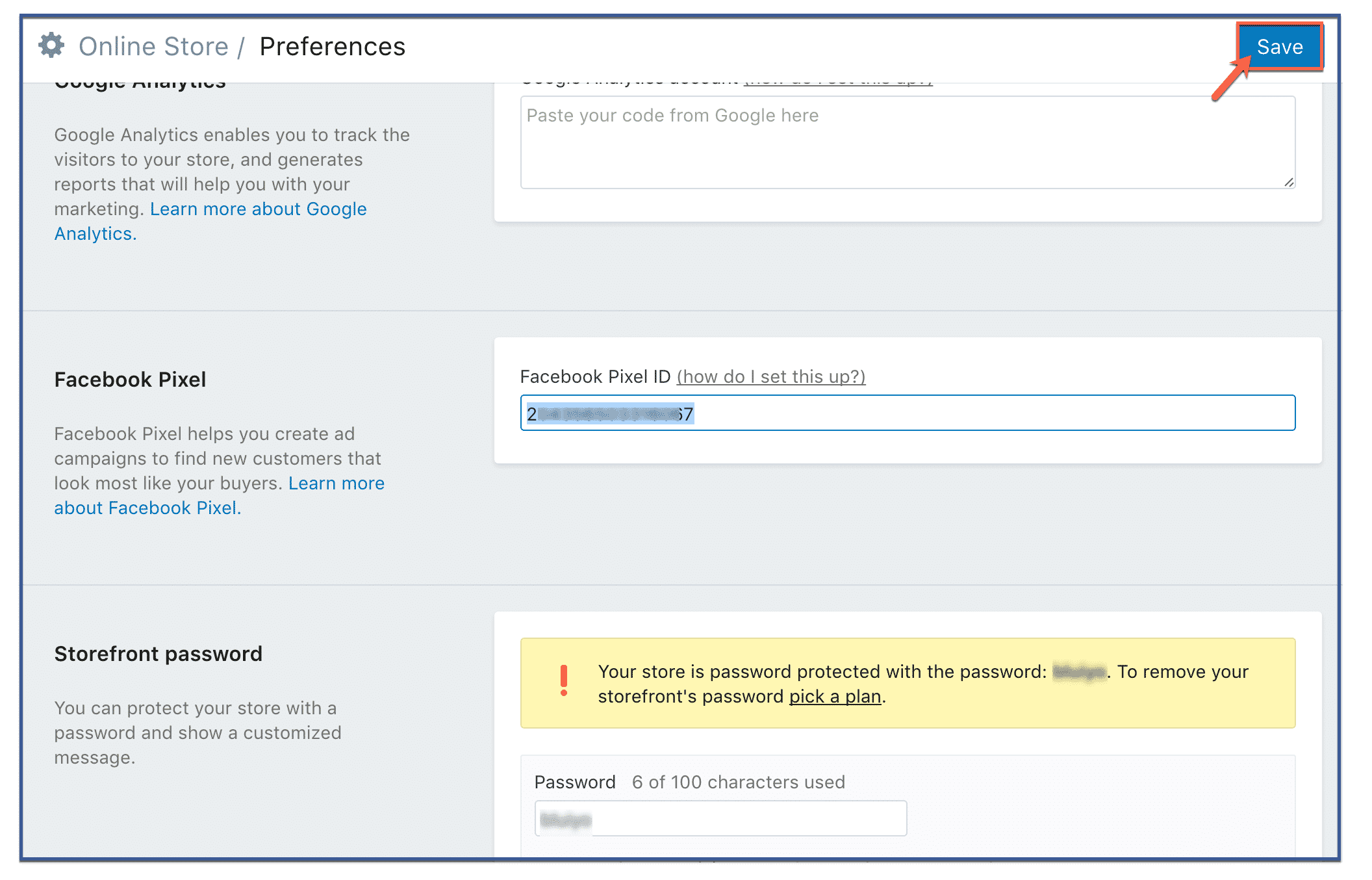
If you’re using Shopify, it’s even much easier to install it. You only need to go to your Facebook Business Manager, copy the ID of your Pixel (not the code), and then enter it on your Shopify store preferences.
- In your Shopify Admin Dashboard, navigate to “online Store” and click on “Preferences”
- Scroll to the Facebook pixel section and paste your pixel ID
- Click on “Save”
[/one_third][one_third]
Method 2: Manually Adding the Pixel Code to your Website
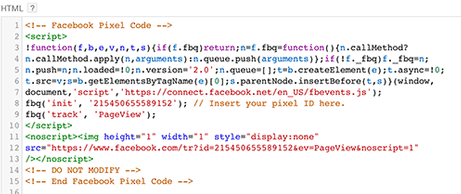
This is the most common way of installing the pixel. While on the pixel page in your Ads Manager, you’ll see the option to “Finish setting up your Facebook pixel”, click on it. You’ll then be given several options, go ahead and choose “Install Manually”. The next screen should have an enormous box of code. That’s your pixel. Copy it.
You can go ahead and copy and paste the pixel base code into the header code of your site. Yes, that’s right – post it after the <head> tag and before the </head> tag. Be sure to paste it into every one of your web-pages you want to track, or in your template in case you’re using one.
[/one_third][one_third]
Method 3: Using WordPress Plugins
There are several 워드프레스 plugins that help make installing and managing Facebook Pixel easier. Nonetheless, Pixel Caffeine by AdEspresso is by far our most favourite. In just a few clicks, you can have Facebook Pixel live on your site without much hassle.
One of the most incredible things about the Pixel Caffeine is that unlike other available plugins, it has no hidden costs, fees, or limitations. It’s offered free of charge. But before using any of its wealth of features, you’ll have to connect it to your Facebook Ad account.
On its dashboard, you can choose the Ad Account you want to connect with your site, and the pixel ID you’d like to use. It will automatically fetch the Pixel IDs you can choose based on the selected account. When you hit on, that’s it! Your pixel is live.
[/one_third][/full_width]
Pixel Caffeine by AdEspresso
[스페이서 높이=”2px”]
 Make sure your Facebook Pixel is Working
Before you start using the data on your pixel, it’s important to confirm if it’s working as it should.
If you’re using Google Chrome, download and install the Pixel Helper extension to check if your Facebook Pixel is accurately tracking events on your site.